Markets

Backtest forex, futures, stocks, indices, and crypto on TradingView

TestingView works on the symbols your TradingView account can chart, so the market list is TradingView’s. What changes from one market to the next is the arithmetic: lot and contract size, the session clock, the costs, and the data feed. This page covers what to set up in each market, and what you still have to account for yourself.

What is the same in every market

  • The data is TradingView’s. TestingView adds no data of its own. If a symbol, a timeframe, or a date range is not available on your TradingView plan, TestingView cannot add it.
  • Position size follows the symbol. Risk is calculated from the entry, the stop, the quantity, the contract size, the point value, and the currency conversion stored at entry.
  • Time follows the chart. Journal times, predefined pauses such as 09:30, and hour statistics use the chart timezone, including daylight-saving changes. Pick one timezone and keep it for the session.
  • Costs are yours to set. Candles do not charge a spread. On the Trader plan, a trading-cost adjustment deducts costs from the statistics. On other plans, results are gross.

Forex

Positions are sized in lots from the stop distance and your risk, as a fixed amount or a percent of the session balance. For crosses such as EURJPY in a USD account, TestingView stores the conversion rate at entry, so later moves in the conversion pair do not rewrite a closed result.

Data and spread

Spot FX has no single exchange price. Each TradingView FX symbol comes from a specific broker or data provider, and candles from different providers can differ. Backtest the feed closest to where you trade. A candle shows one price per moment, not the bid and ask you would trade, so a candle-based test does not pay the spread by itself.

Sessions

Spot FX trades around the clock on weekdays. If your playbook trades the London or New York open, add those times as predefined pauses and read the results by hour afterward.

Not modeled

Overnight swaps (rollover) are not modeled. If you hold trades for days, include them in your cost figure.

Futures

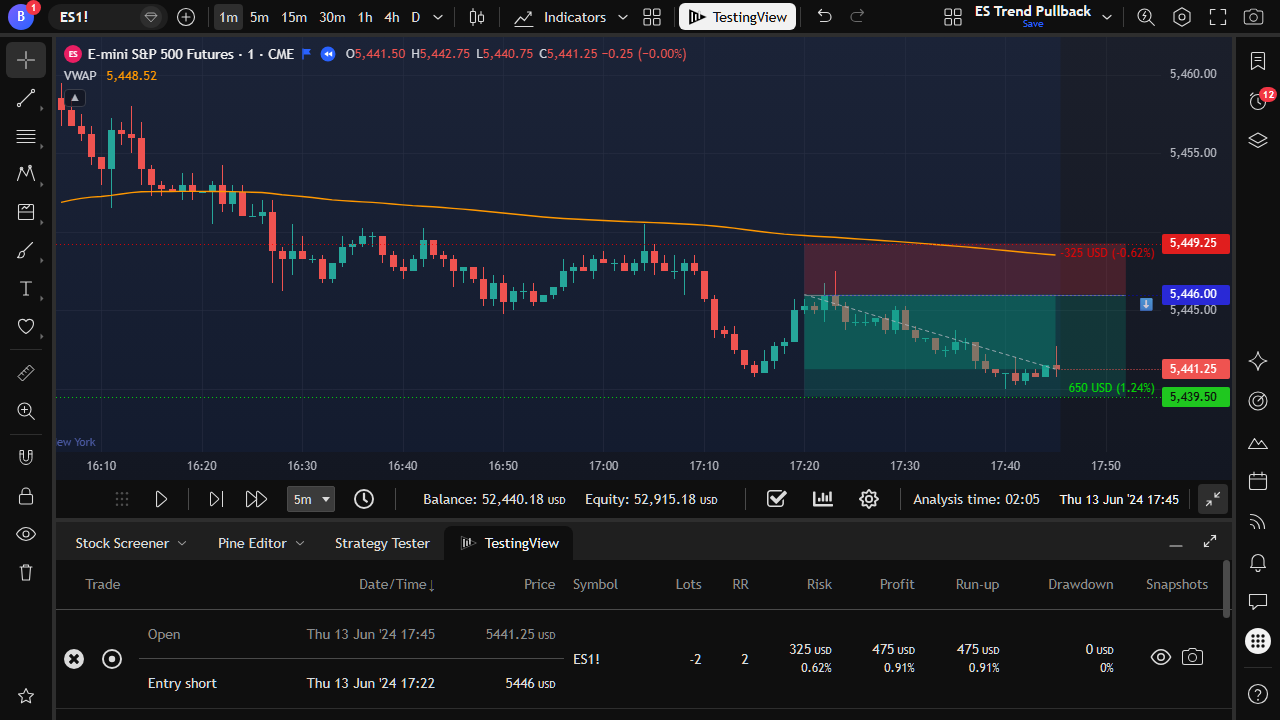
Risk uses the contract’s point value, so one ES contract and one micro contract carry very different money risk at the same stop. Check that the quantity on the position tool is the number of contracts you would actually trade.

Continuous contracts and rolls

TradingView’s continuous symbols, such as ES1!, stitch expiries together. At a roll, the chart can jump by an amount no single contract traded, and back-adjusted prices are not the prices printed at the time. For trades around a roll, or for exact price levels, test the specific expiry.

Sessions and costs

Futures have regular and extended trading hours. Decide which session your playbook trades and set the chart the same way before you start. Commissions and exchange fees are charged per contract: include them in the Trader cost adjustment, or read the results as gross.

Not modeled

Margin, expiry, and settlement are not modeled.

TestingView position on an ES futures chart, with risk calculated from the contract's point value
Futures risk uses the contract’s point value.

Stocks and ETFs

Positions are sized in shares from the stop distance and your risk. When price gaps through your entry at the open, TestingView opens the trade at the new candle’s open, not at your entry price.

Adjusted prices

Historical stock charts are usually adjusted for splits, and TradingView can also adjust them for dividends. Adjusted candles can show prices that never printed on the day, which matters if your playbook uses absolute levels or round numbers.

Sessions

Pre-market and after-hours bars appear only when the chart shows extended hours. Set the chart to the session your playbook trades before you start the session.

Survivorship

A watchlist built from today’s tickers leaves out companies that were delisted. That is a selection problem in your sample, and no replay tool fixes it.

ETFs are not their index

An ETF has fees, its own trading hours, and can track its index imperfectly. Test the instrument you trade.

Indices, CFDs, and commodities

A cash index such as the S&P 500 is not traded directly. Traders use futures, ETFs, or CFDs on it, and each has its own price, hours, and size per point. Index and commodity CFDs are broker products. Gold and oil also trade as futures and ETFs. TestingView sizes the trade from the symbol you replay, so replay the instrument you actually trade, not the closest-looking chart.

Crypto

Crypto trades around the clock, every day, so “the open” is a convention. Pick the clock your playbook uses, such as the UTC daily close or the New York open, and add it as a predefined pause.

Exchanges differ

The same coin on two exchanges is two markets, with different prices, wicks, and liquidity. Replay the exchange symbol you trade.

Account currency

If you think in crypto, set the session currency to BTC, ETH, or USDT. Risk, profit, and statistics are then shown in that currency.

Not modeled

Perpetual-futures funding, margin, and liquidation are not modeled. For trades held through funding times, include funding in your cost figure.

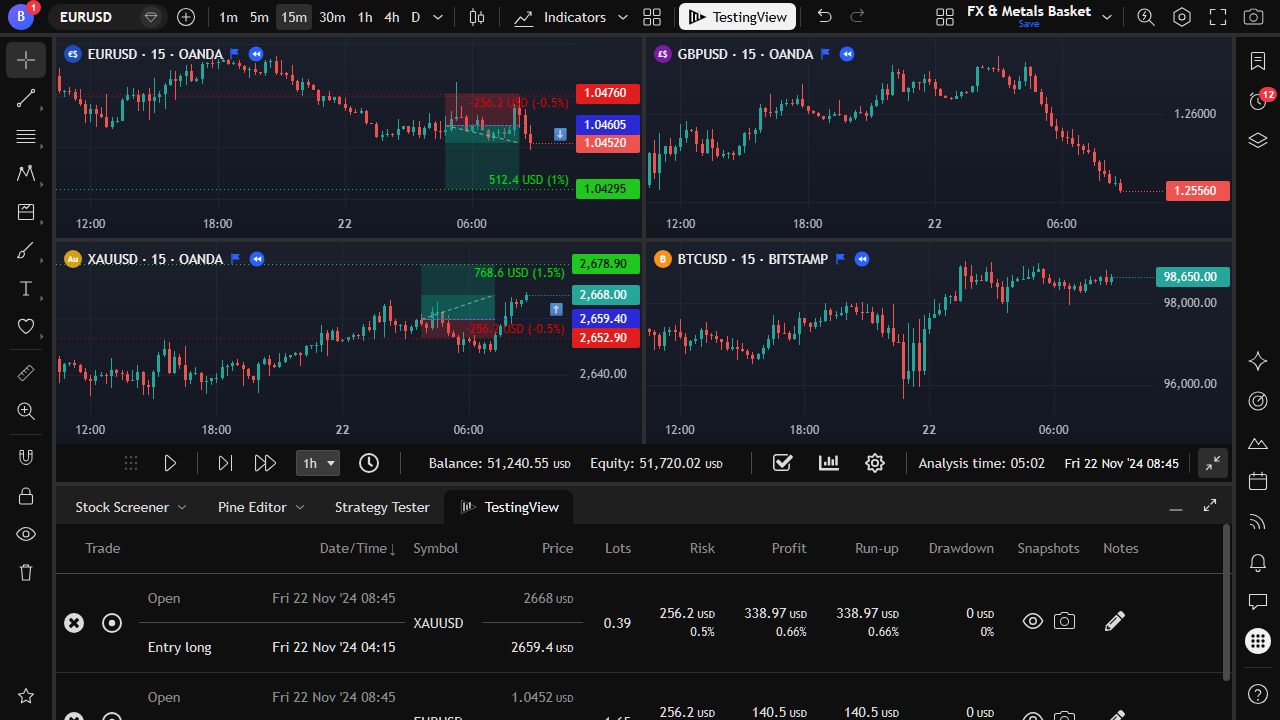
TradingView multi-symbol layout with one TestingView session tracking trades on several charts
One session can track several symbols with a shared balance.

Before the first trade, in any market

  1. Check that your TradingView plan includes the history and timeframe you need for this symbol.
  2. Pick the data source closest to your broker or exchange.
  3. Set the chart timezone and session, and keep them for the whole test.
  4. Draw one test position and check the quantity and the money risk before the first real trade.
  5. Decide your cost figure, including spread, commission, swaps, or funding, before you look at results.
  6. Start on a random date with ChronoShuffle, or on a date range you chose in advance.

Questions about markets

Does TestingView include its own historical data?

No. TestingView uses the candles TradingView provides for your account, symbol, and timeframe. If your TradingView plan does not include a symbol, a timeframe, or a date range, TestingView cannot add it.

Can I backtest several markets in one session?

Yes. On a multi-chart layout, one session keeps a shared balance and journal and records the symbol of every trade. If you test different playbooks, keep them in separate sessions. More than one session at a time needs the Trader plan.

Does TestingView handle lots, contracts, and point values?

Yes. Risk is calculated from the entry, the stop, the quantity, the contract size, the point value, and the currency conversion stored at entry. If the quantity on the position tool is wrong, the journal will faithfully record the wrong risk.

Can my session be in a crypto currency?

Yes. Session currencies include USD, EUR, GBP, JPY and other fiat currencies, and BTC, ETH, and USDT. Risk, profit, equity, and statistics are shown in the session currency.

Are swaps, funding, and dividends included?

No, they are not separate inputs. The only cost control is the trading-cost adjustment in the statistics on the Trader plan. If your trades are held through swaps or funding, include an estimate of them in that figure.