
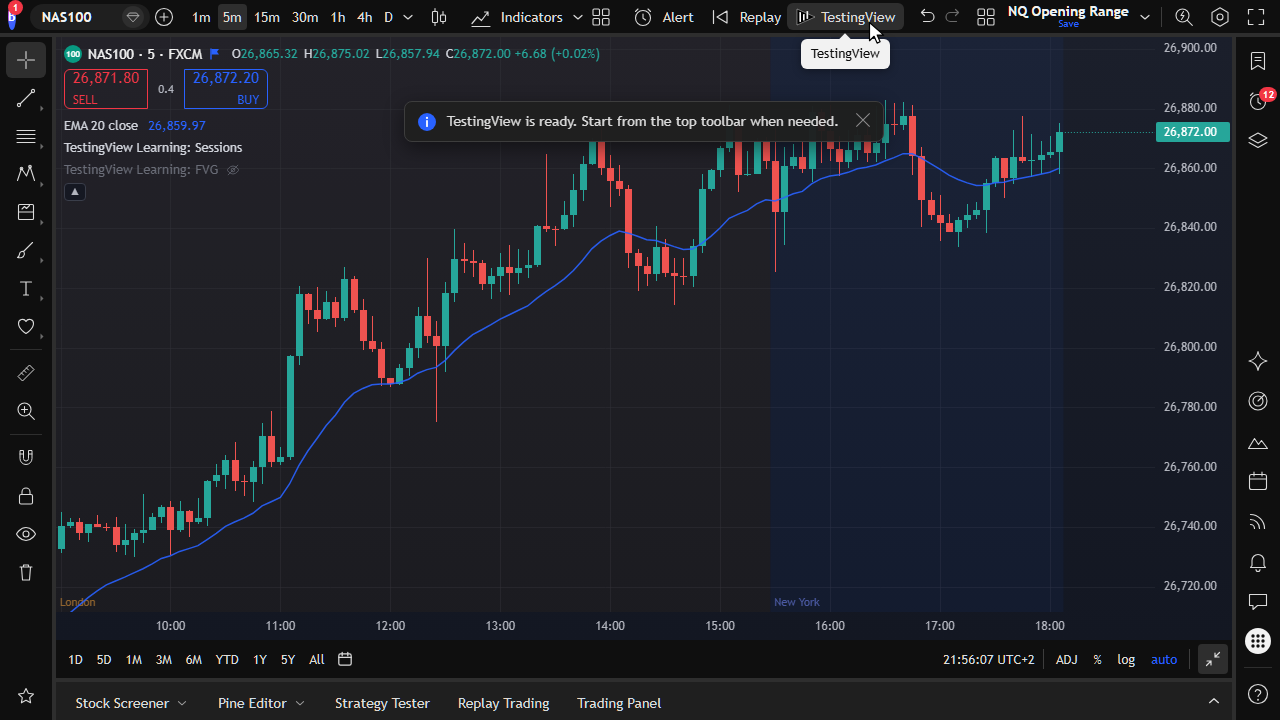
TestingView on TradingView
Open TestingView from the TradingView header button. You do not need a separate charting app.
Features
TestingView is a historical candle-replay engine based on TradingView. You backtest on your real TradingView charts and keep your own indicators in place. It adds sessions and simulated trades, including tick-by-tick or intrabar simulation. ChronoShuffle gives random starts that help reduce hindsight bias. Built-in controls stop you from viewing future candles during manual testing. You also get risk sizing, a backtesting journal, and statistics.
Launch TestingView from TradingView and open a session. Keep your own indicators on the chart. Use ChronoShuffle for random historical starts that help reduce hindsight bias.
Open TestingView from the TradingView header button. You do not need a separate charting app.
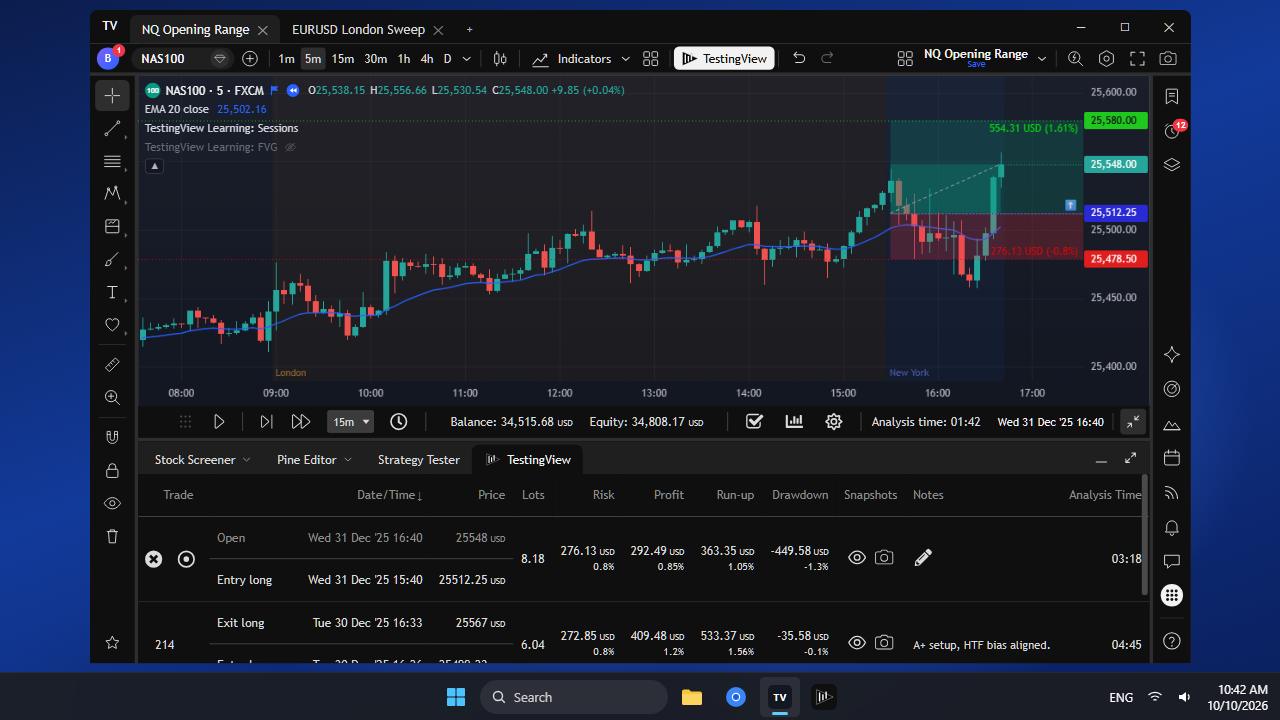
Run the same TestingView workflow inside TradingView Desktop with the TestingView launcher.
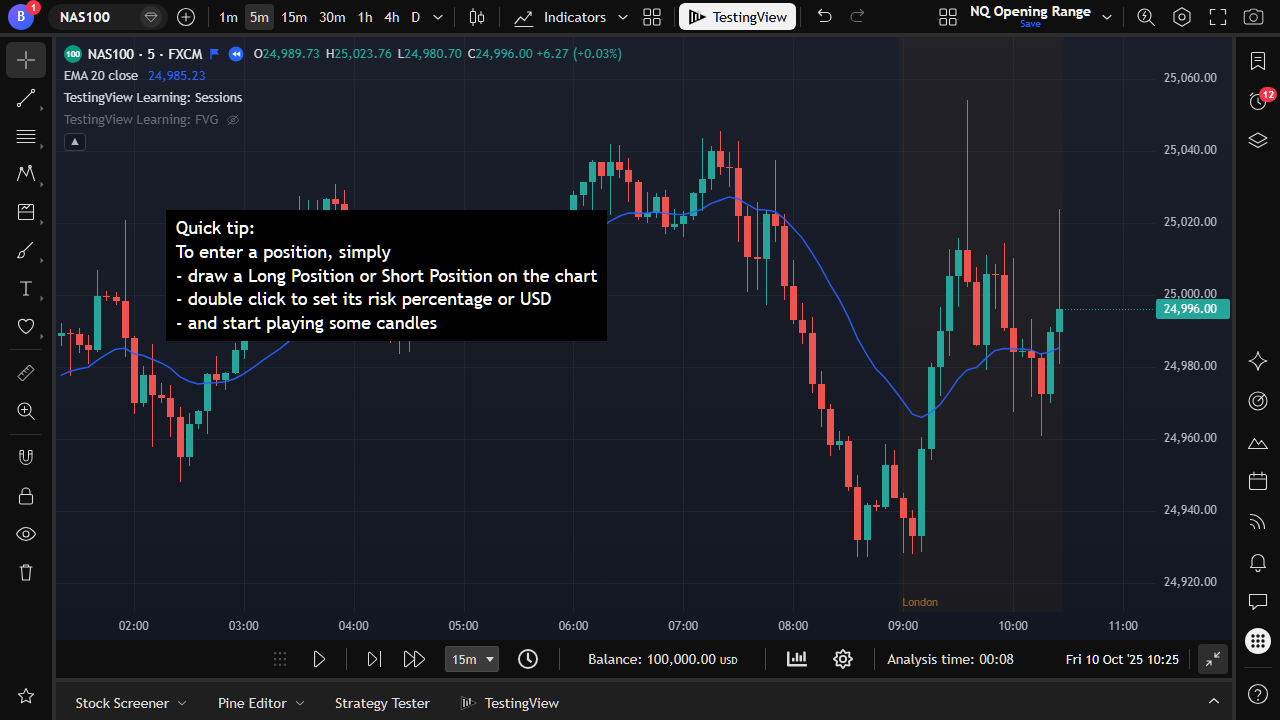
A new session begins with a quick tip so you know how to place your first simulated trade.
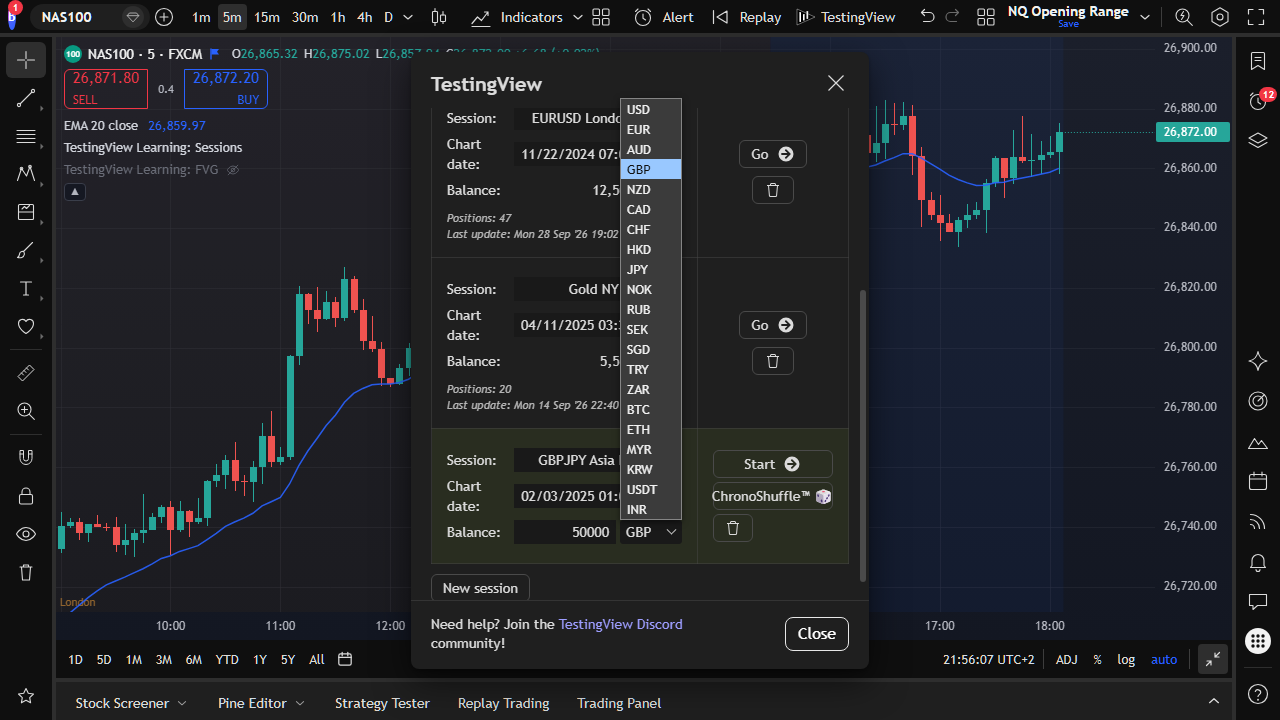
Pick from common fiat and crypto currencies for balance, risk, and P&L.
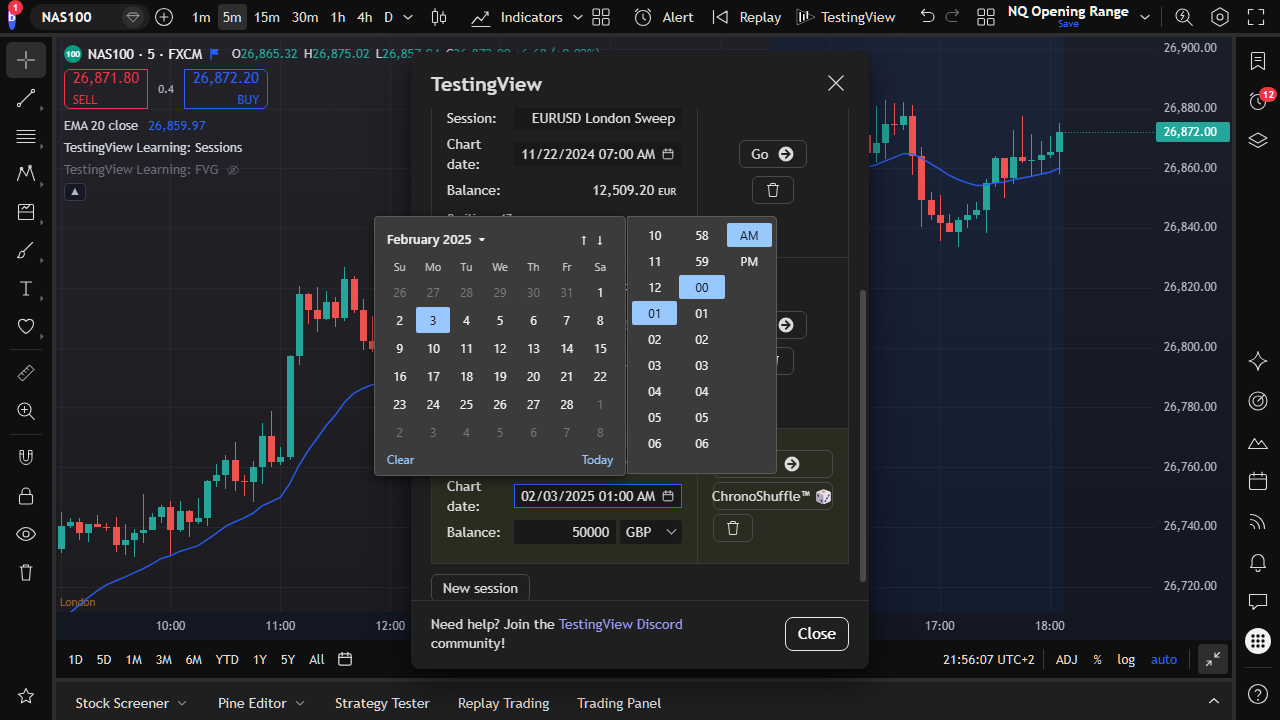
Jump into any historical period that your TradingView data allows.
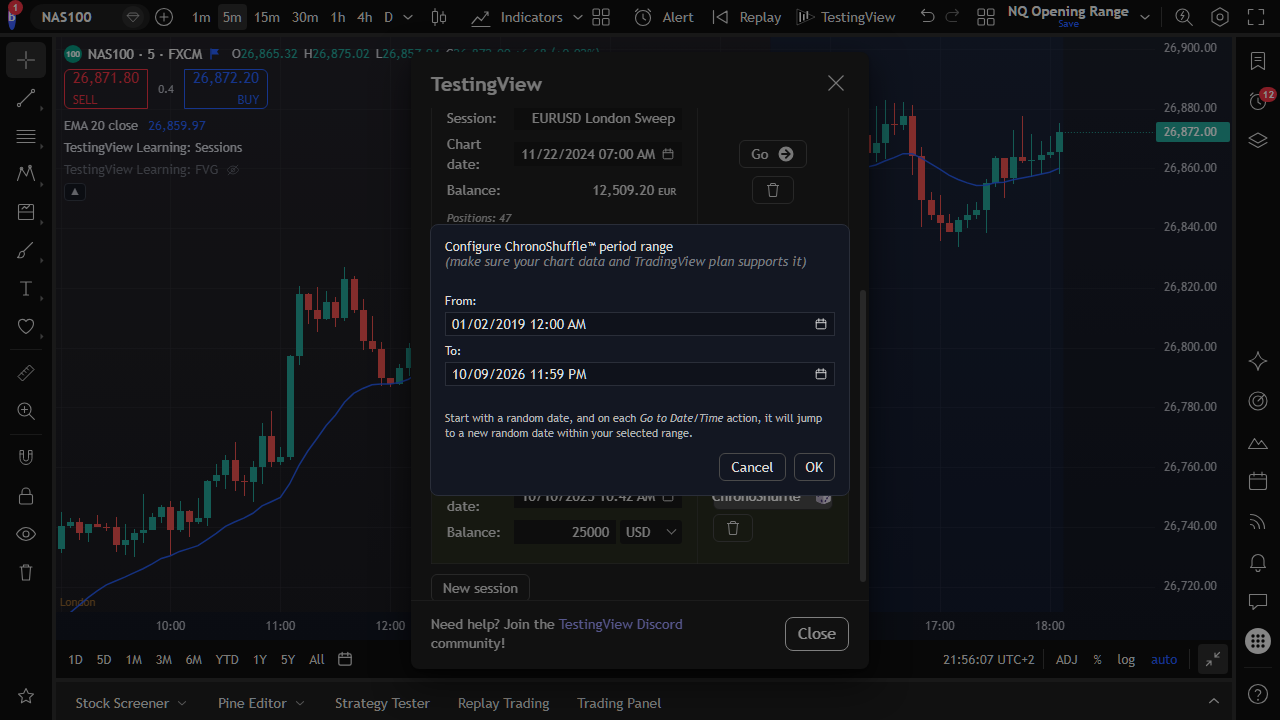
Pick random historical starting points within a past range. You practice without knowing the period, and that helps reduce hindsight bias.
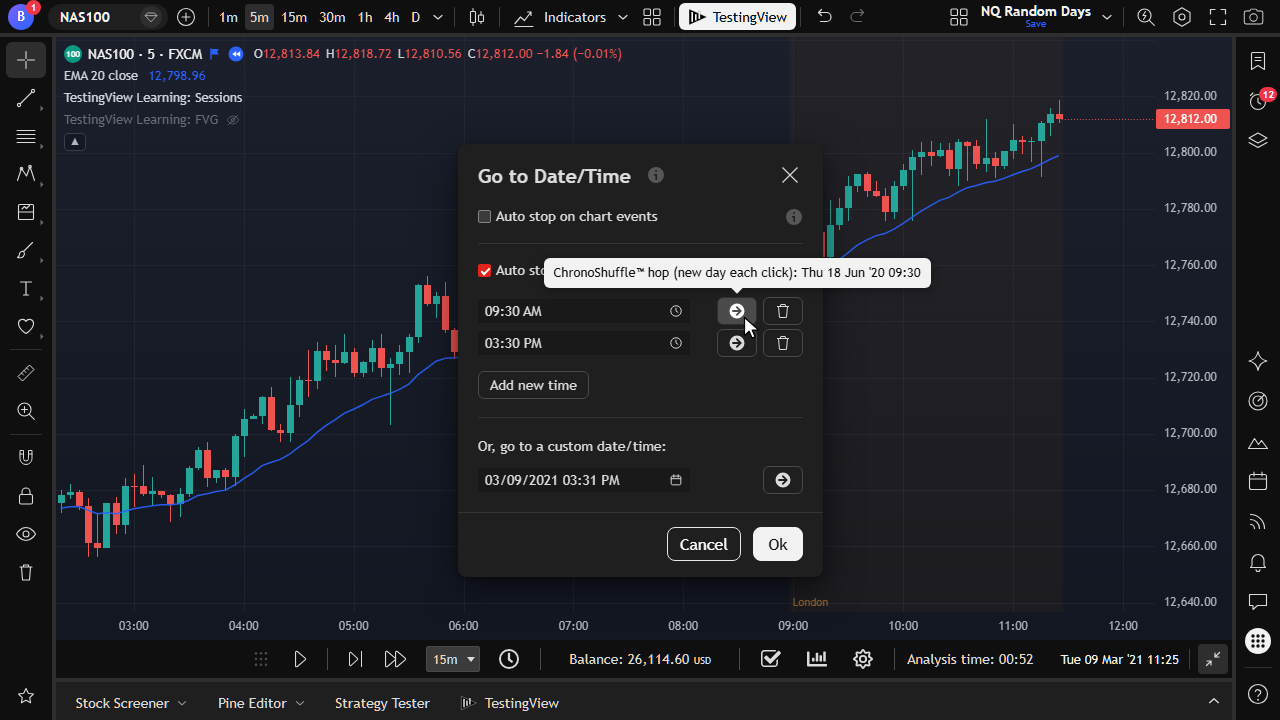
Hop to another random historical start within your range when you want a fresh practice window.
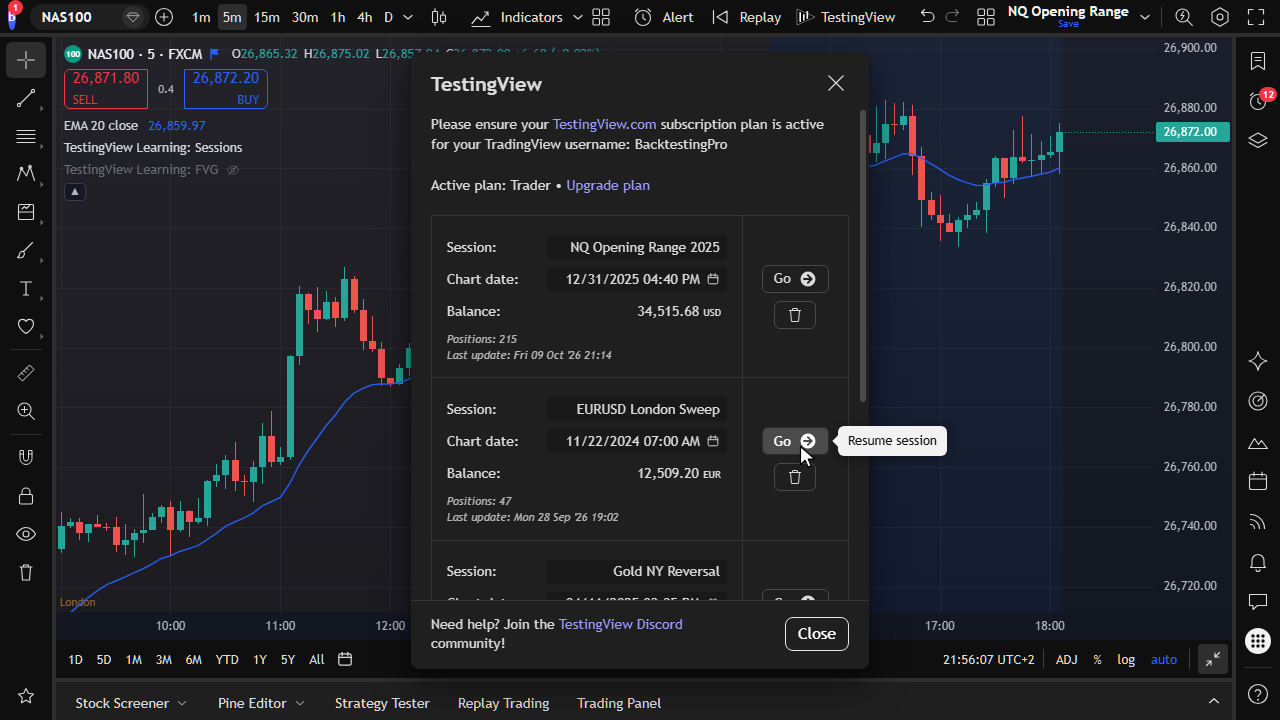
Pick up where you left off. Sessions, trades, and journal values are saved automatically.
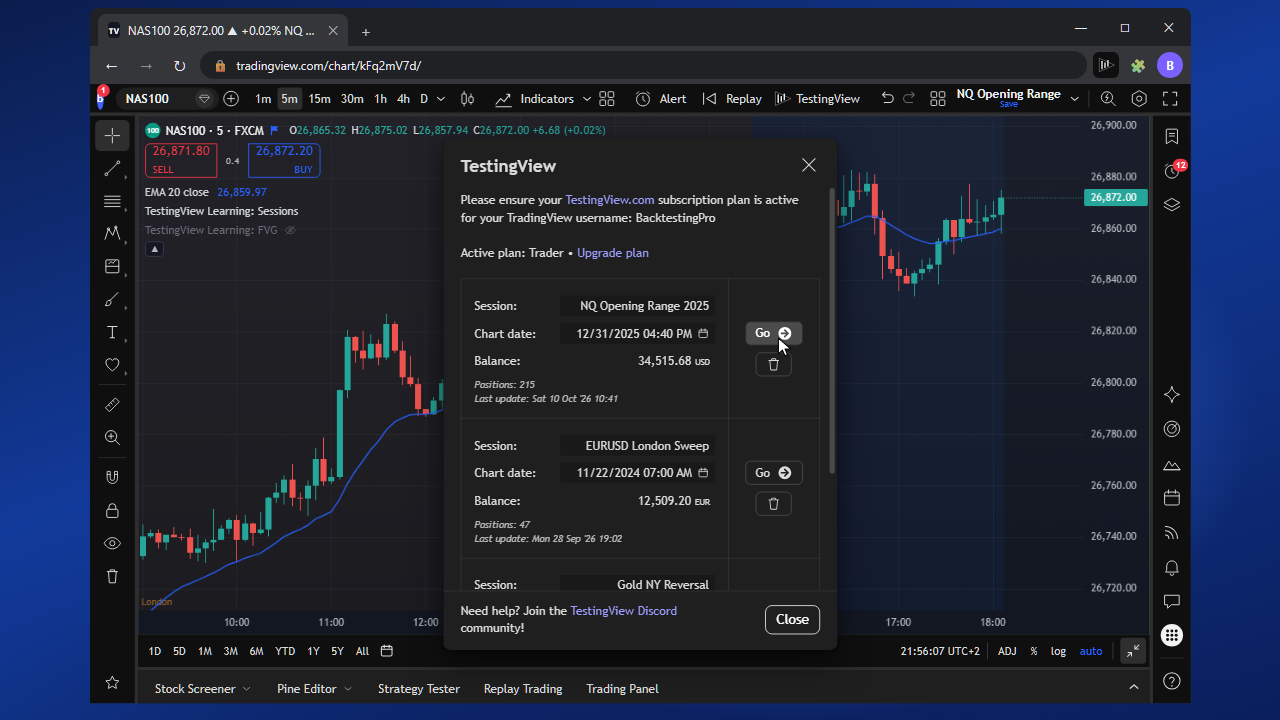
Resume the same sessions on another device with the same TestingView account.
Place entries and exits, use break-even, work with multi-chart layouts, and size contracts on the historical candle-replay engine.
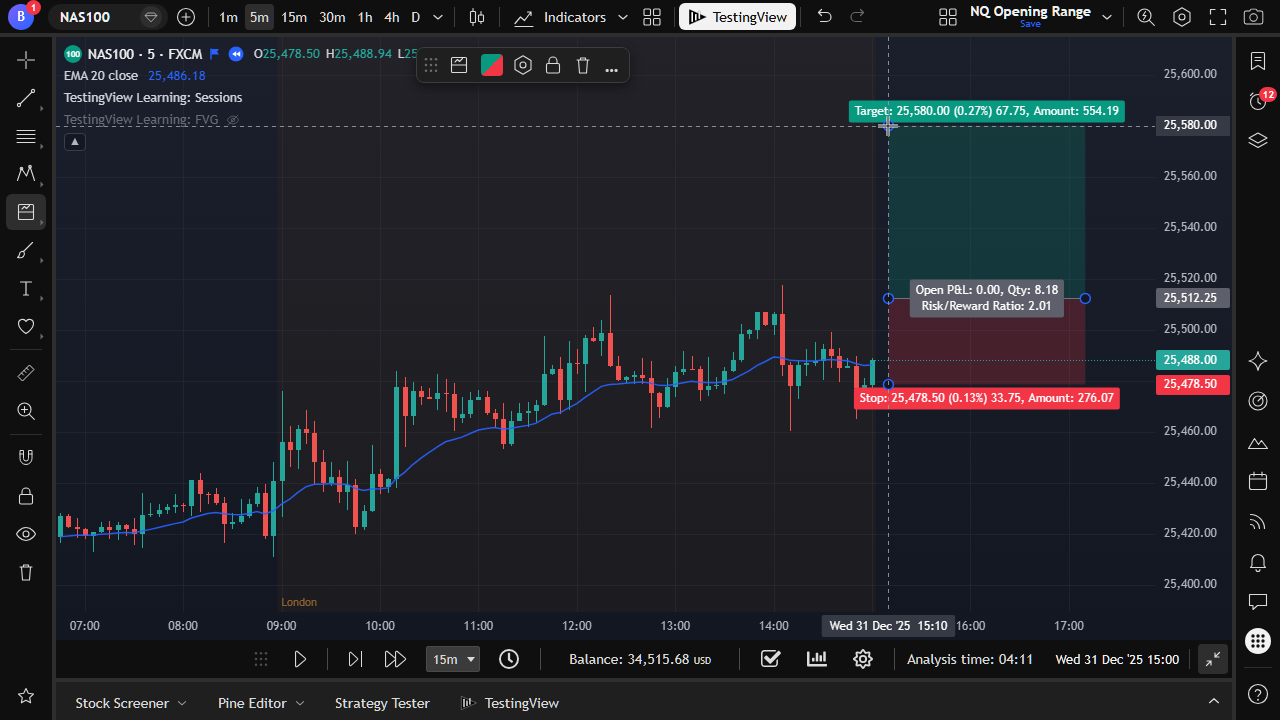
Use TradingView Long/Short Position tools. TestingView turns them into tracked simulated trades.
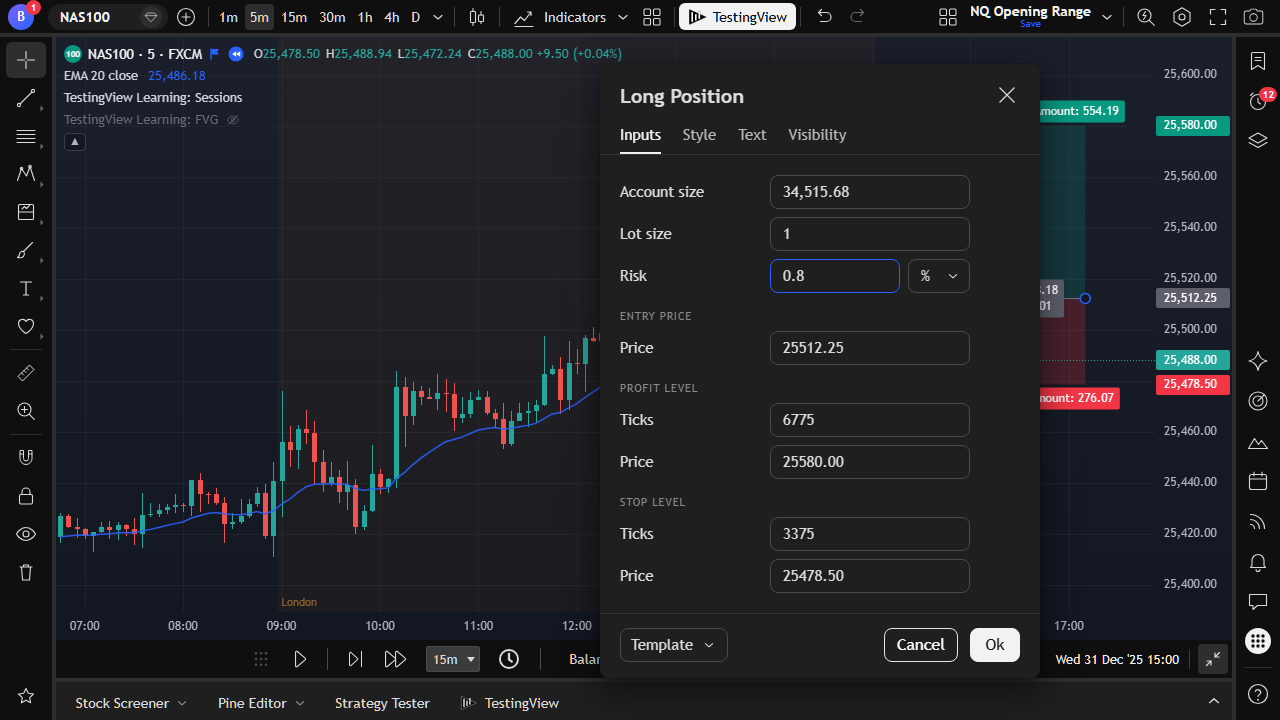
Size the trade as a percentage of your session balance before entry.
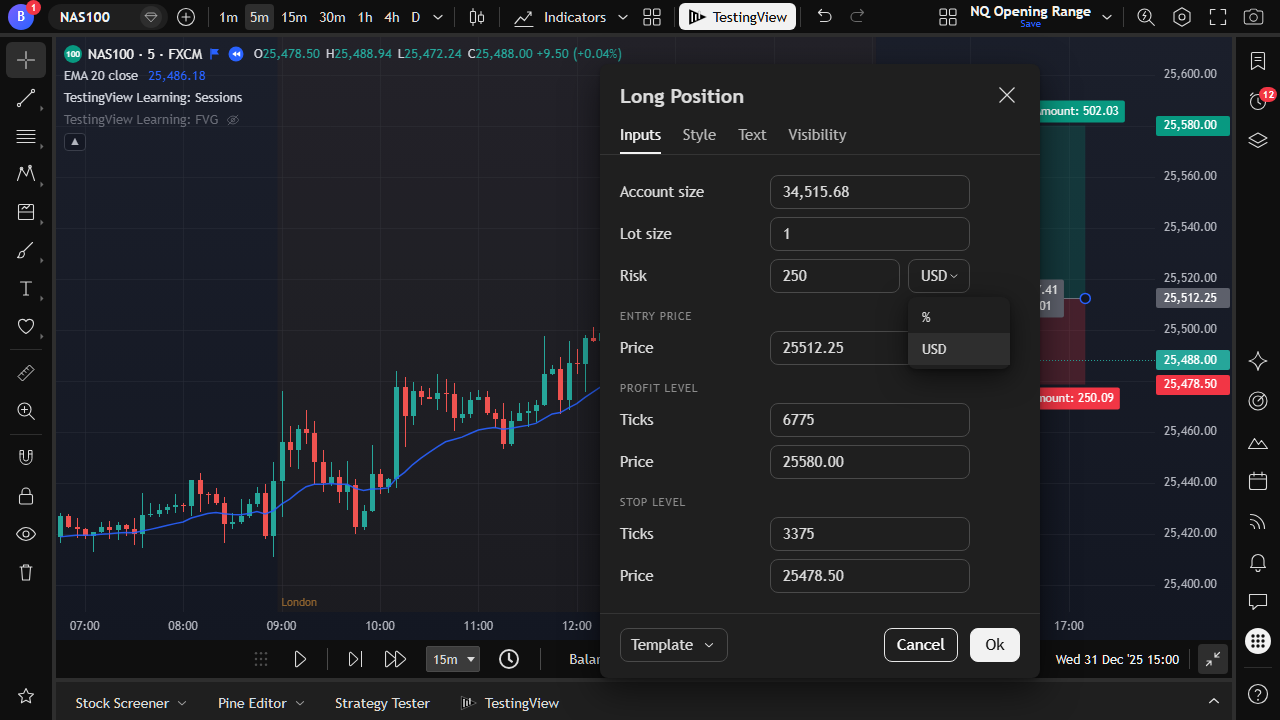
Or risk a fixed cash amount. TestingView sets the quantity for the symbol.
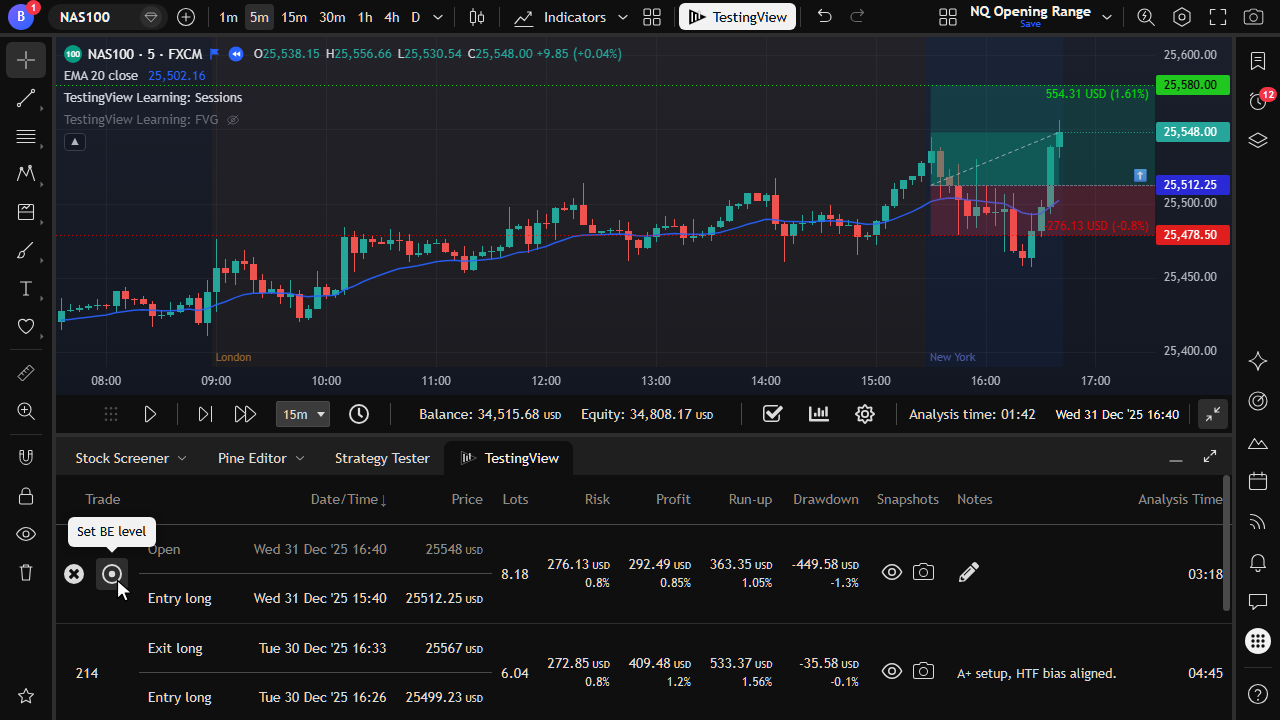
Define a break-even trigger from the journal so the stop can move to entry automatically.
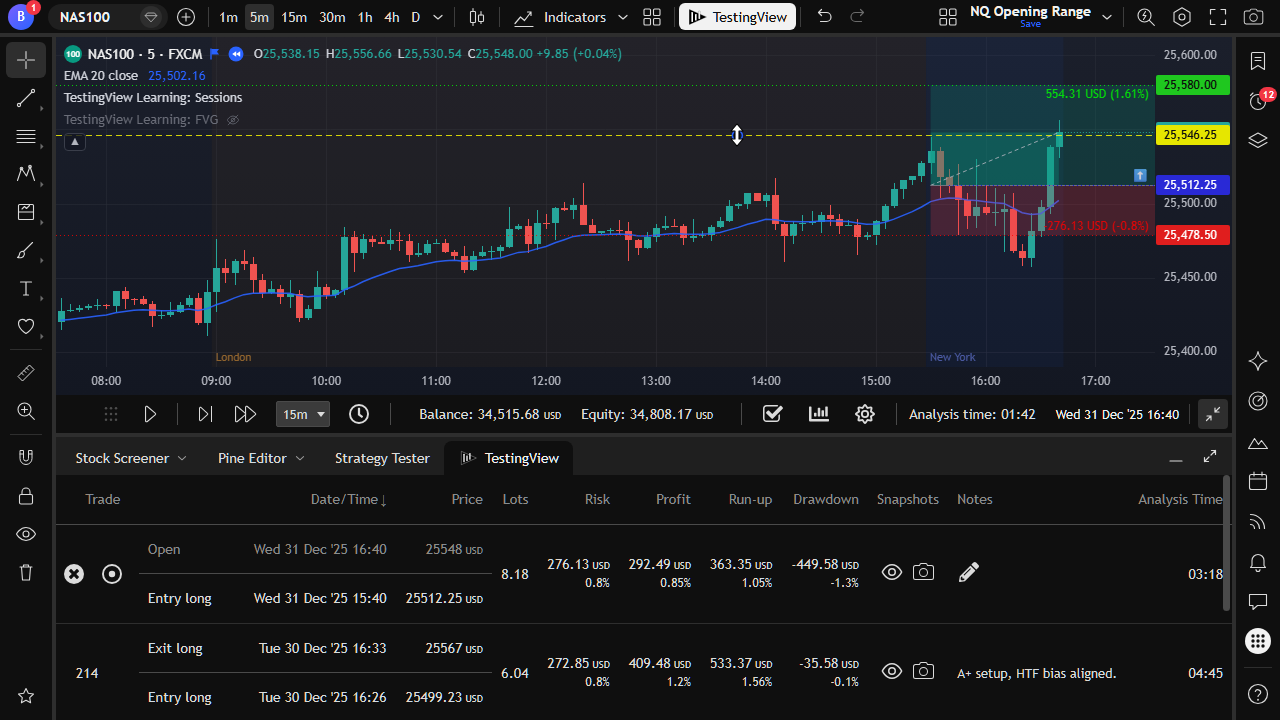
Drag the break-even line on the chart between entry and target.
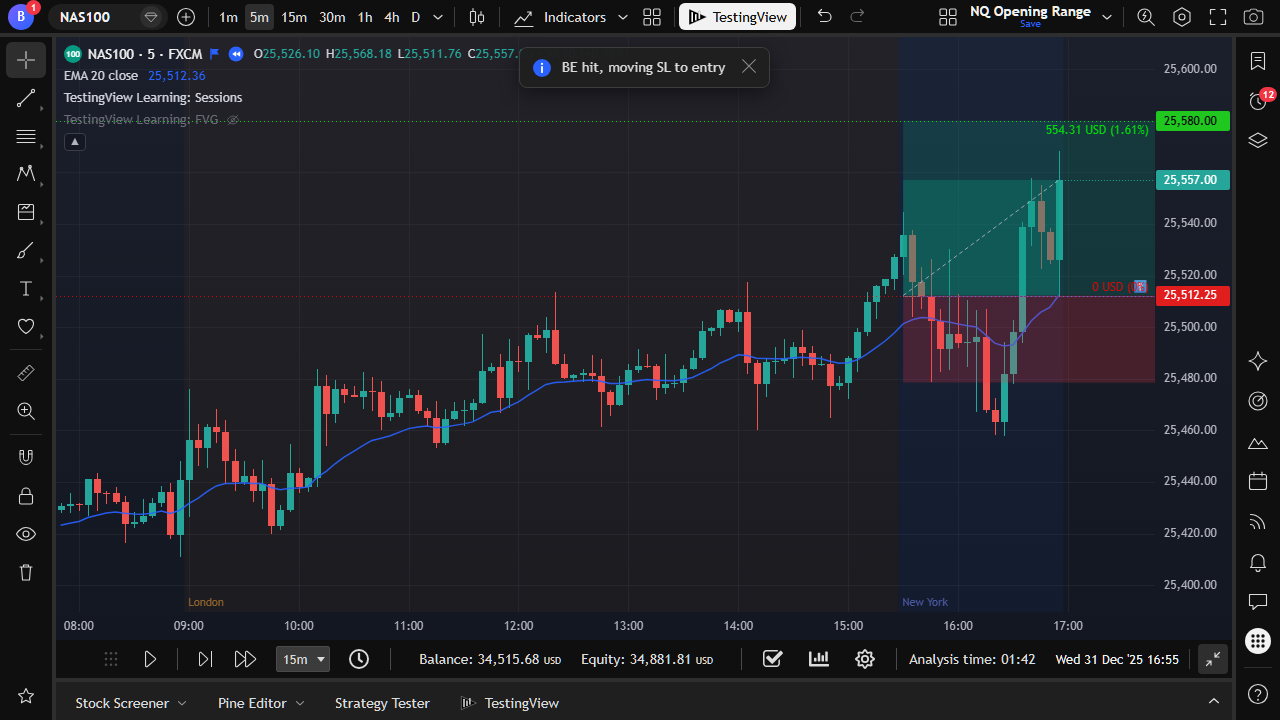
When price reaches BE, TestingView moves stop loss to entry (Explorer and Trader).
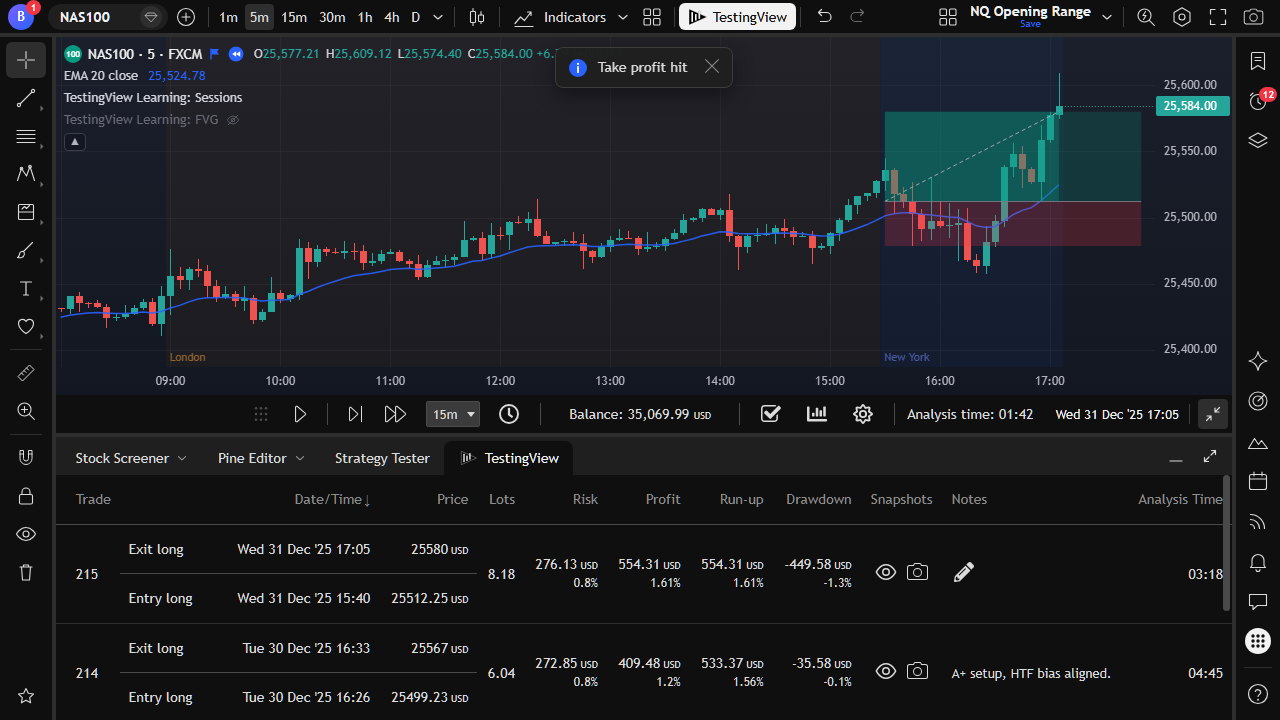
Trades close automatically when price reaches your take-profit level.
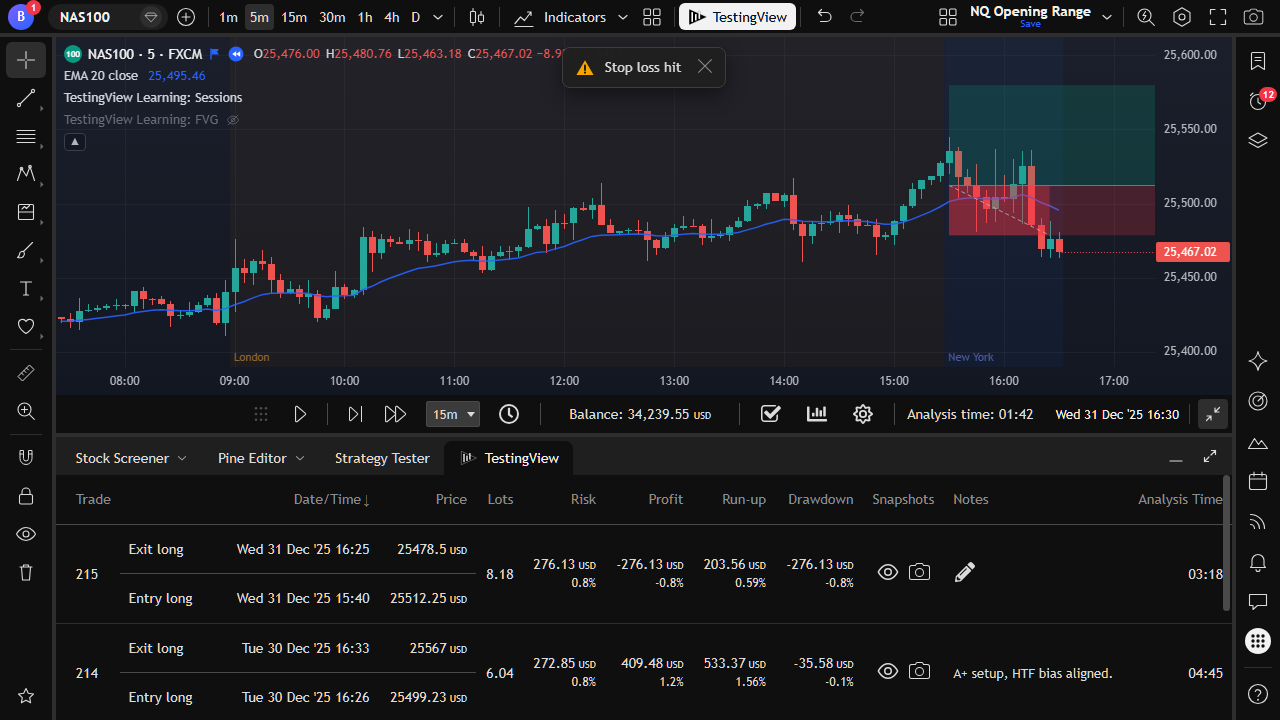
Stops are tracked candle-by-candle so exits stay realistic during playback.
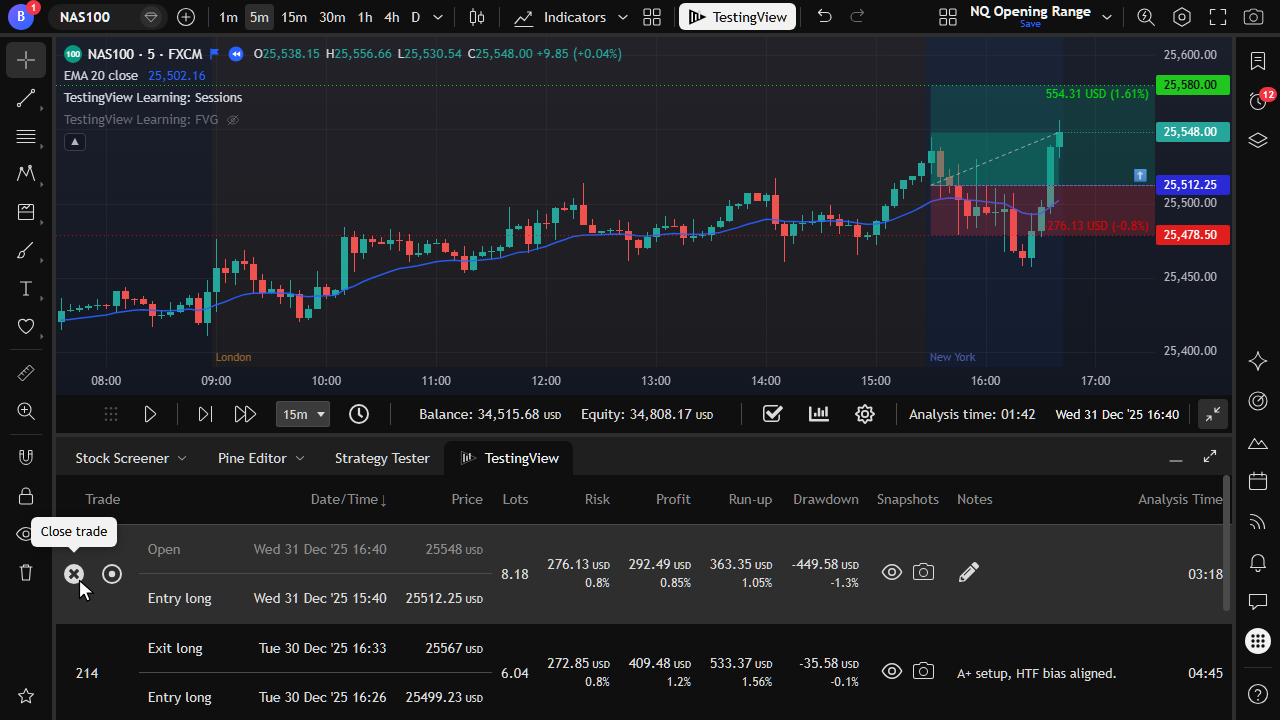
Close an active trade from the journal whenever you decide to exit.
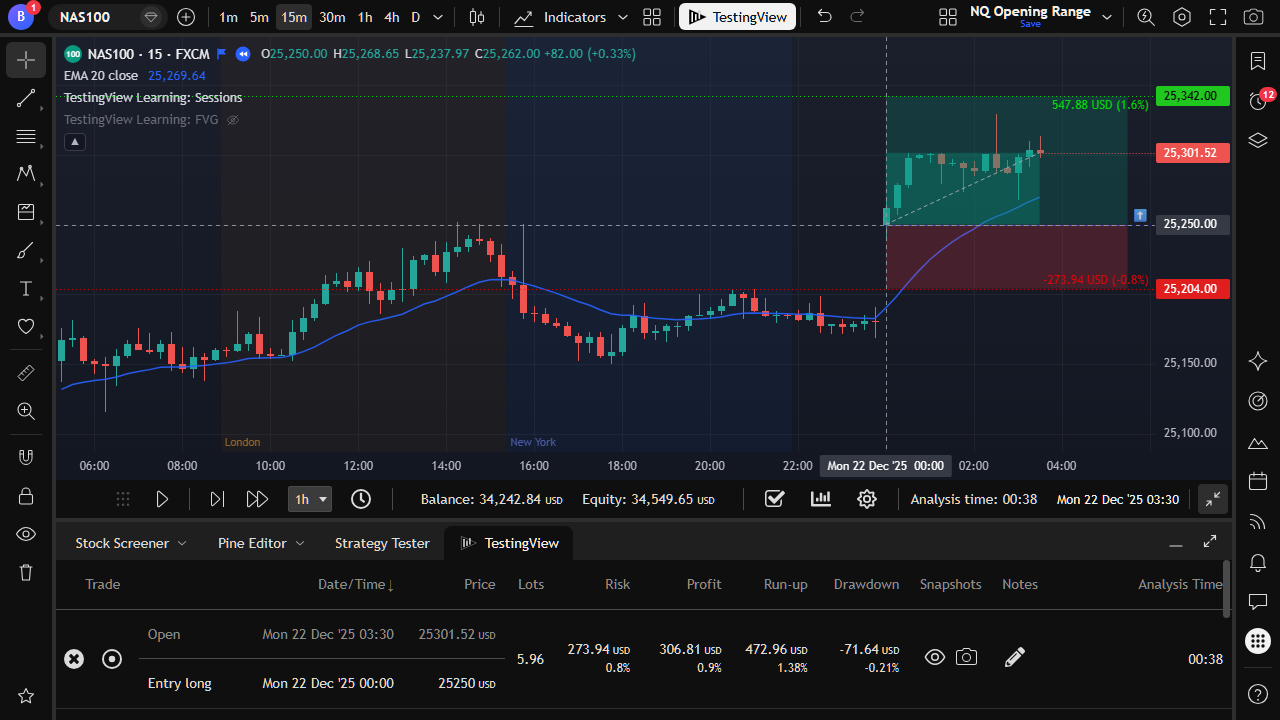
If price gaps through your entry, the trade opens at the new candle open.
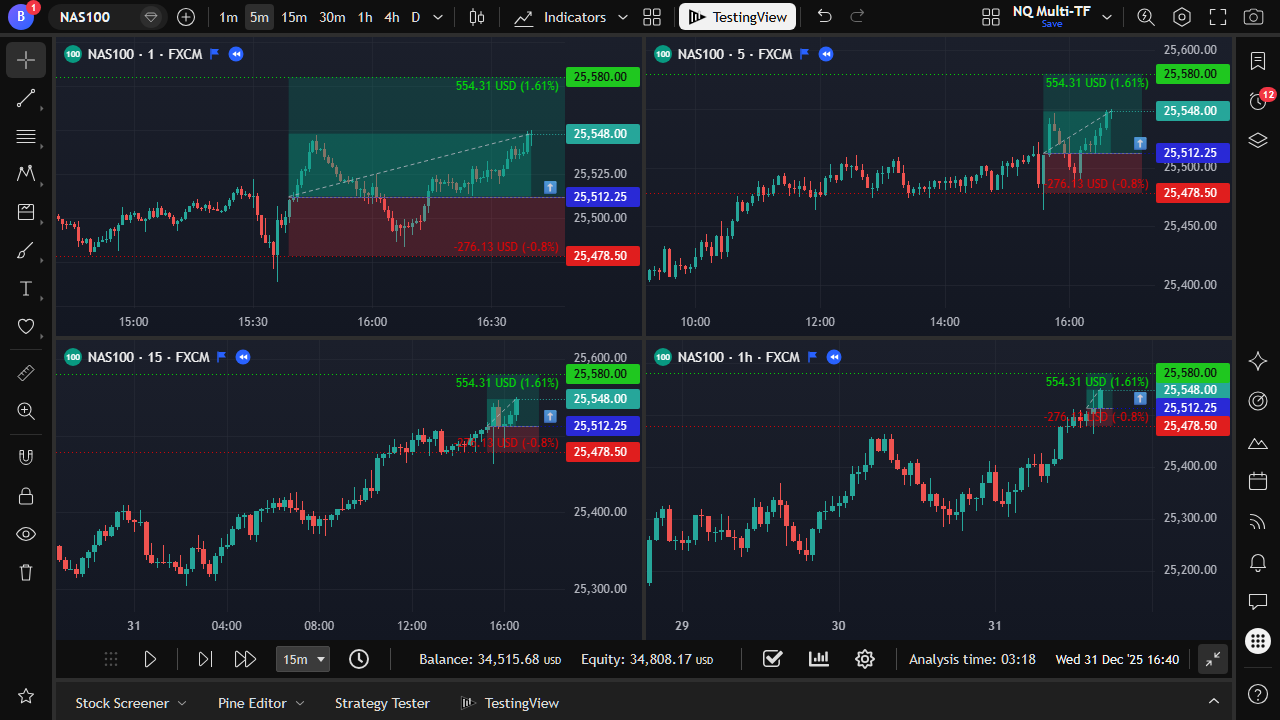
Watch several timeframes side by side while TestingView advances them together.
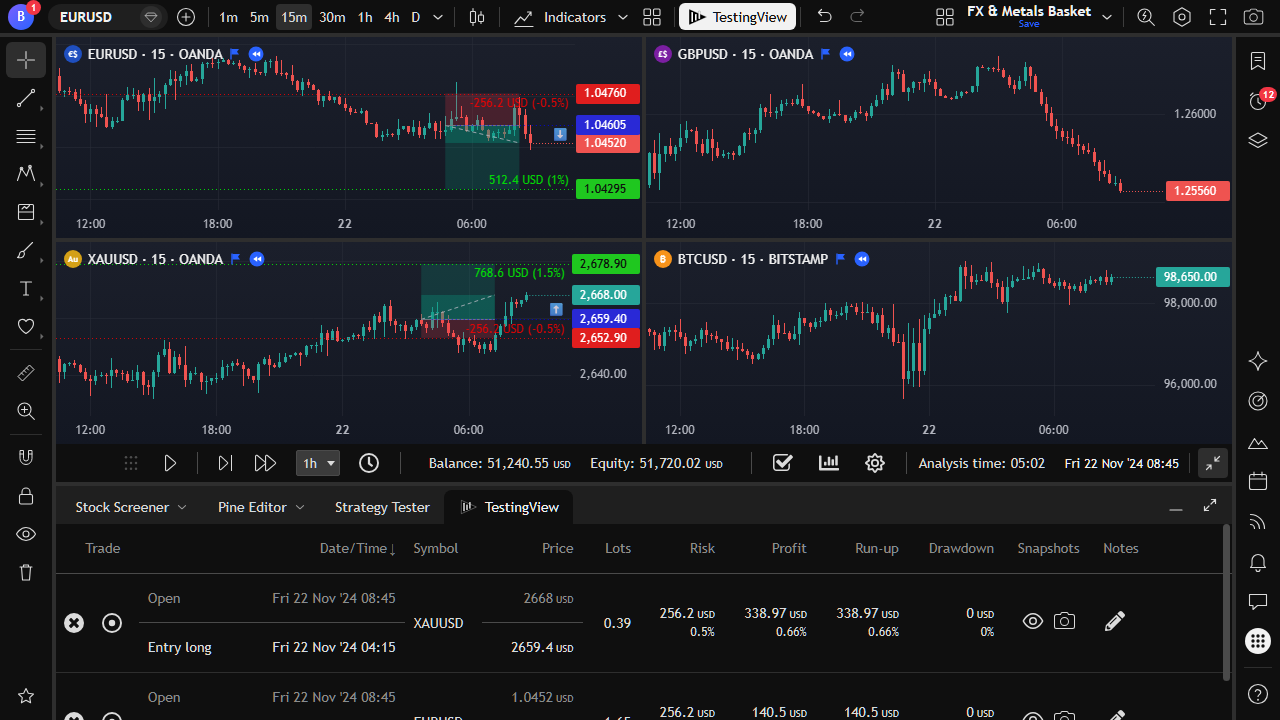
Track multiple symbols with one shared session balance and journal.
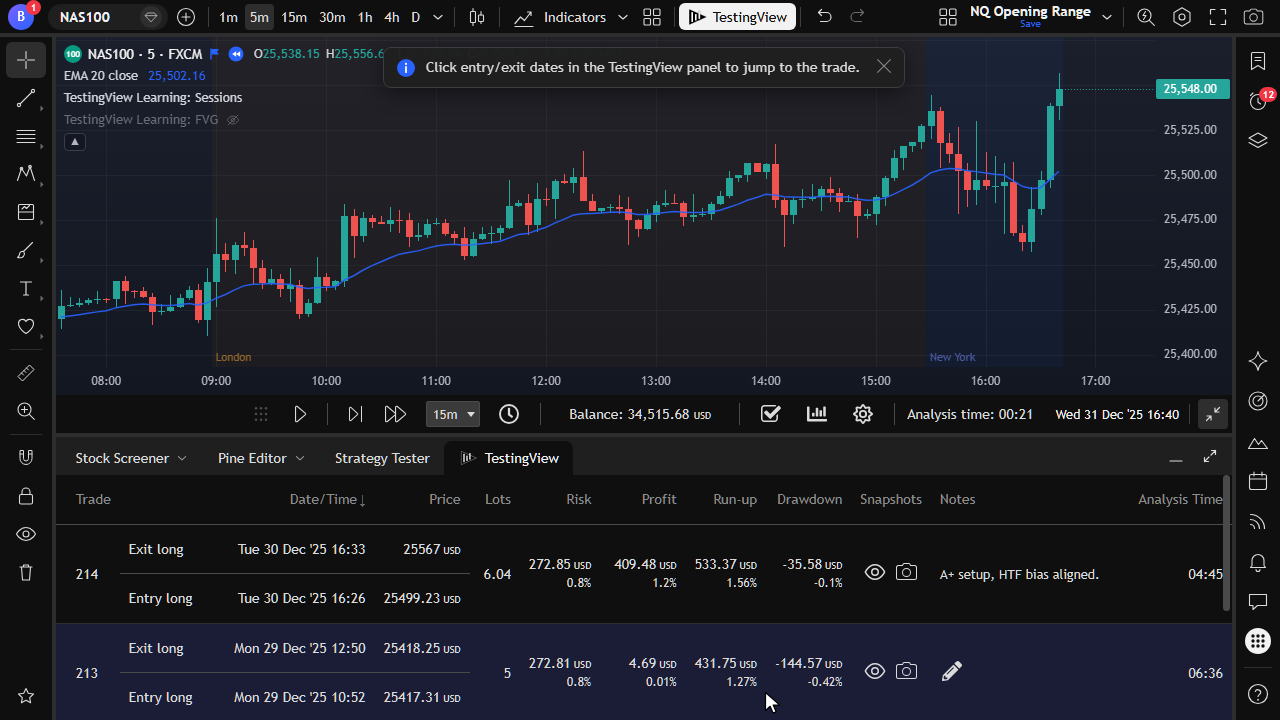
Click a journal row to focus the trade and review how it played out.
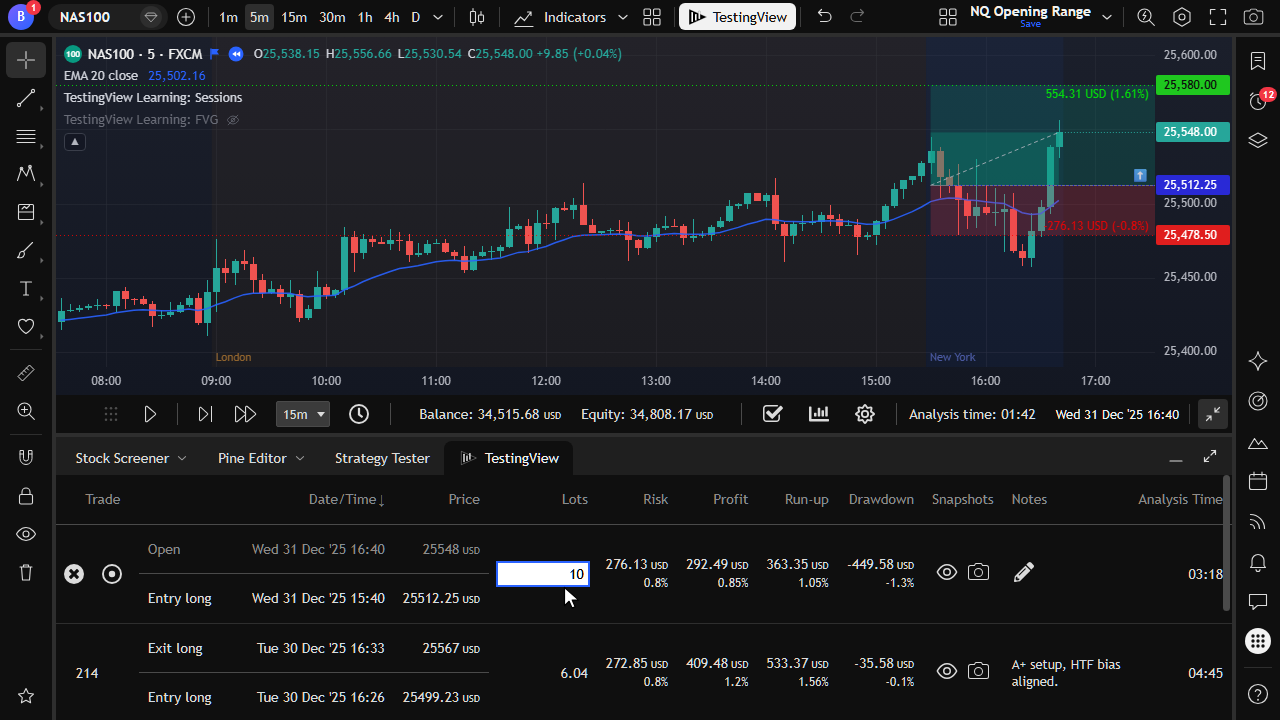
On Trader, adjust the quantity of an open trade and recalculate risk and P&L.
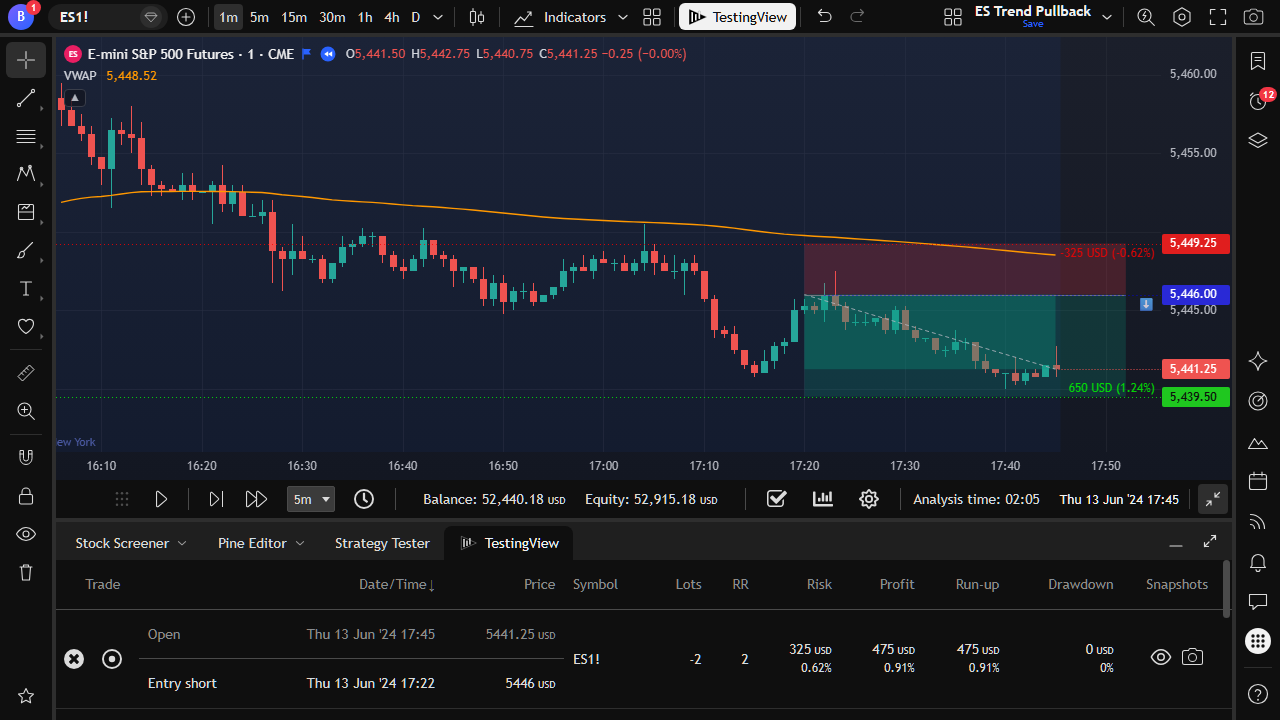
Risk accounts for contract size and point value, including futures like ES.
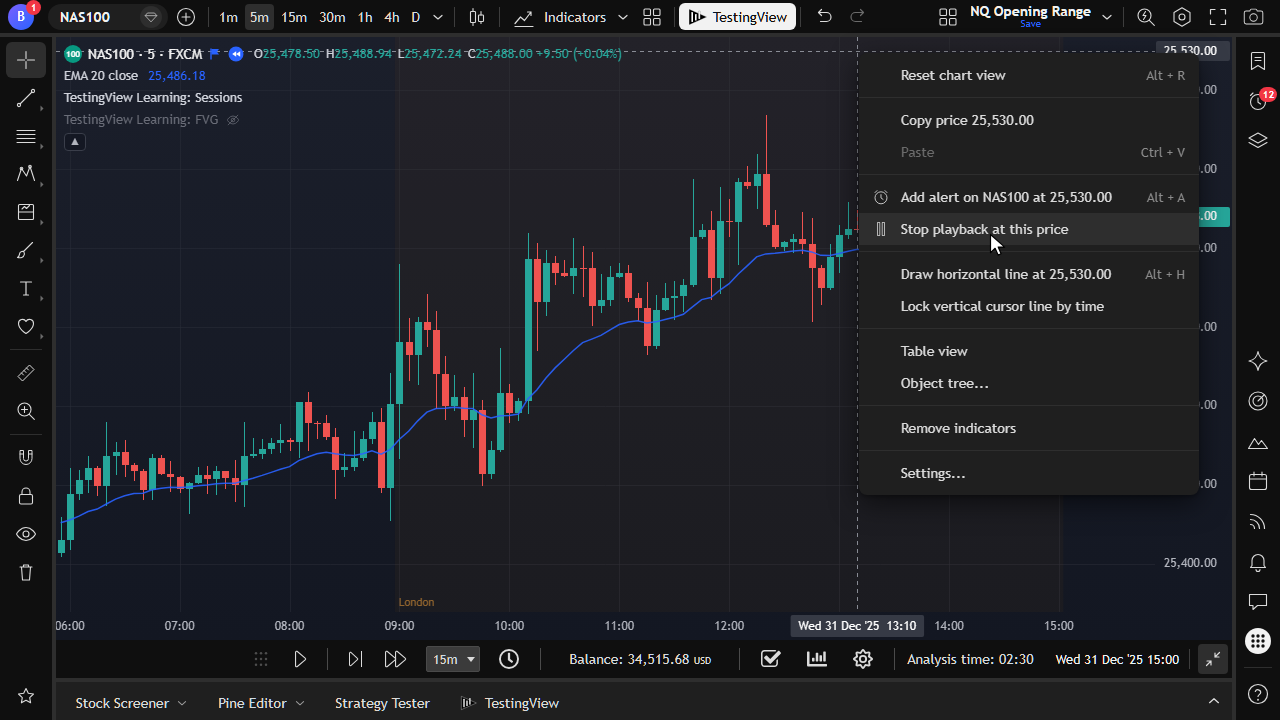
Right-click the chart to stop playback when price reaches a chosen level.
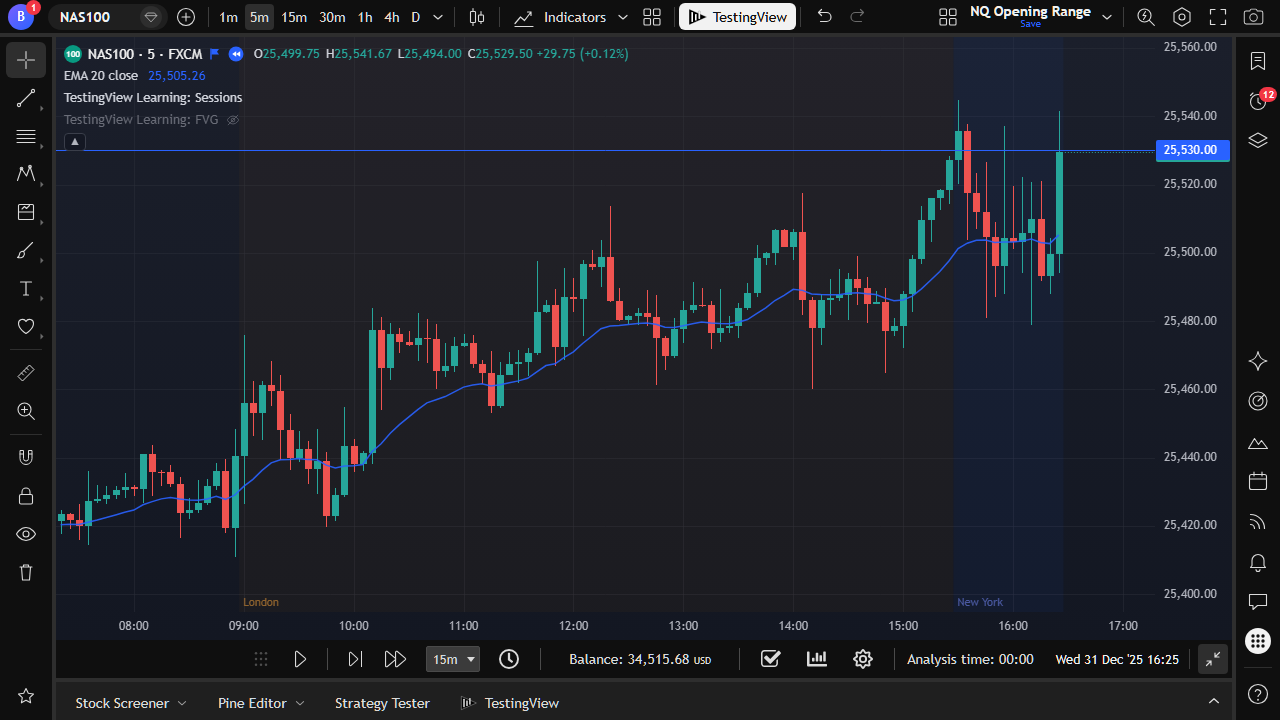
A visible stop line pauses candle playback when price crosses it.
Replay historical candles with tick-by-tick or intrabar simulation. Built-in controls stop you from viewing future candles during manual testing.
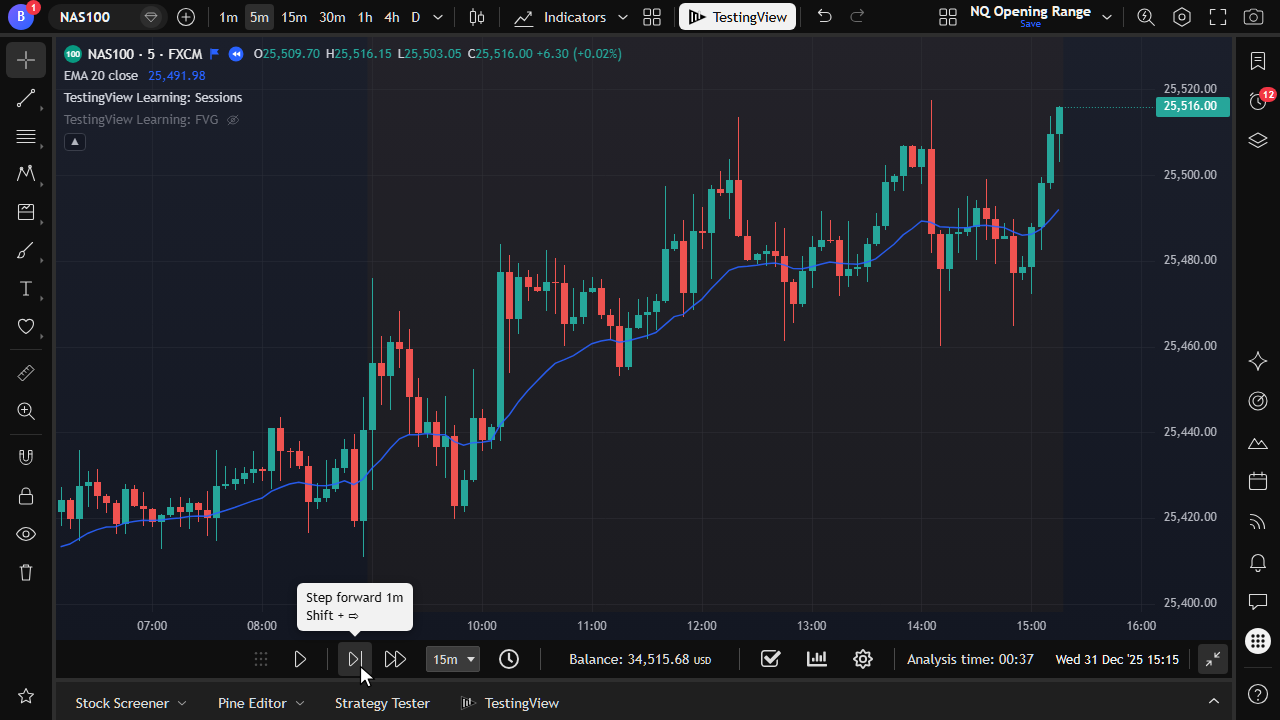
Advance through the historical candle-replay engine one step at a time. You can go down to tick-by-tick or intrabar resolution when you need precise management.
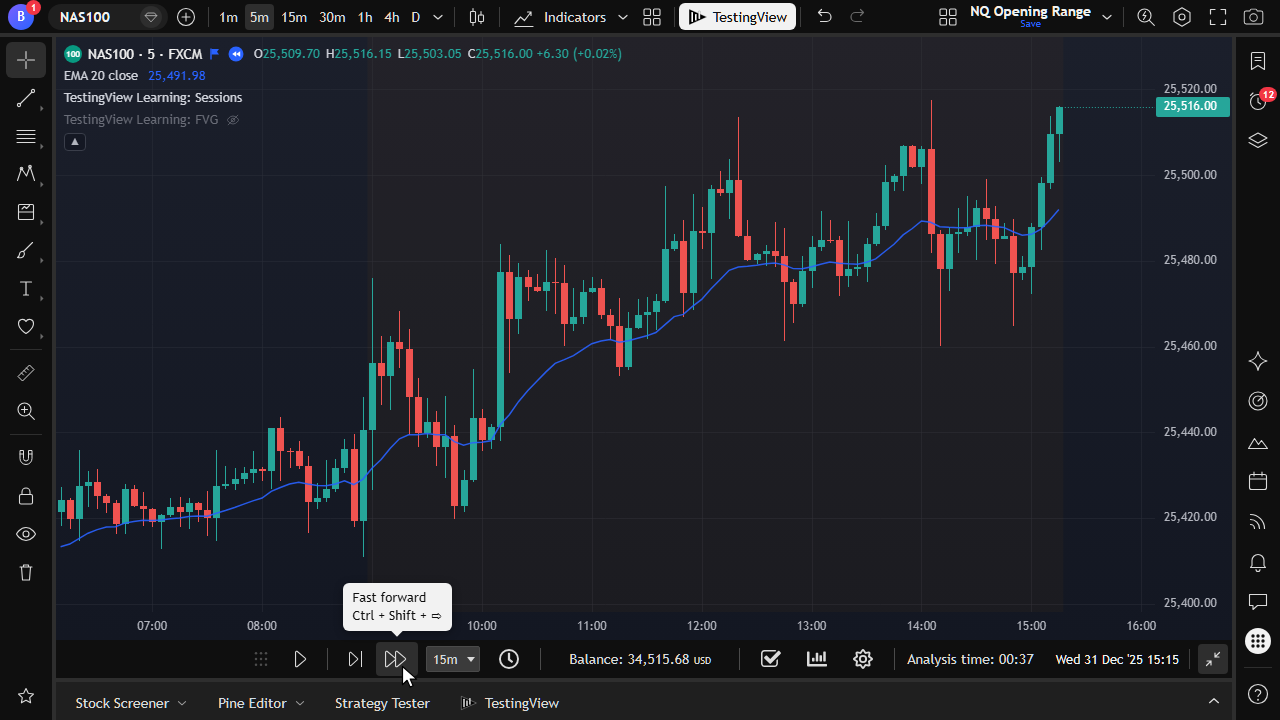
Skip ahead to the next interval close without losing trade-management accuracy.
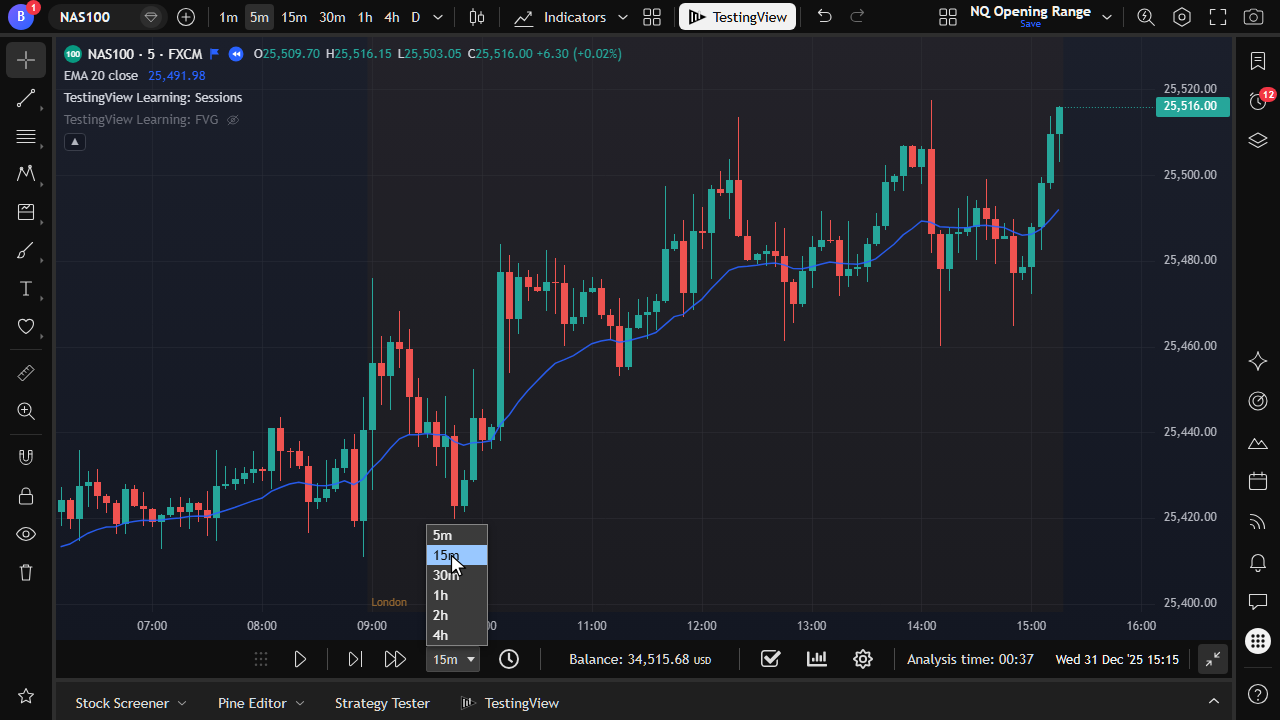
Choose how far each fast-forward jump should move through history.
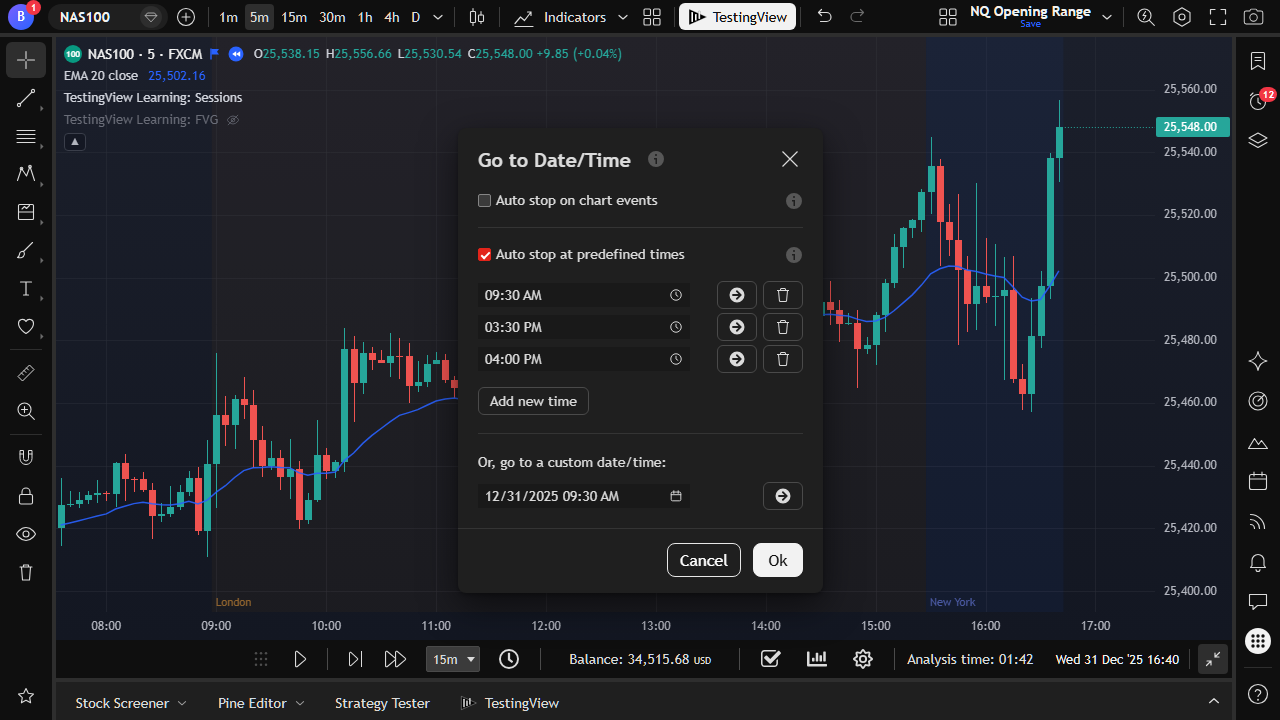
Jump to a specific date or time when you do not have an open position (plan limits apply on Starter).
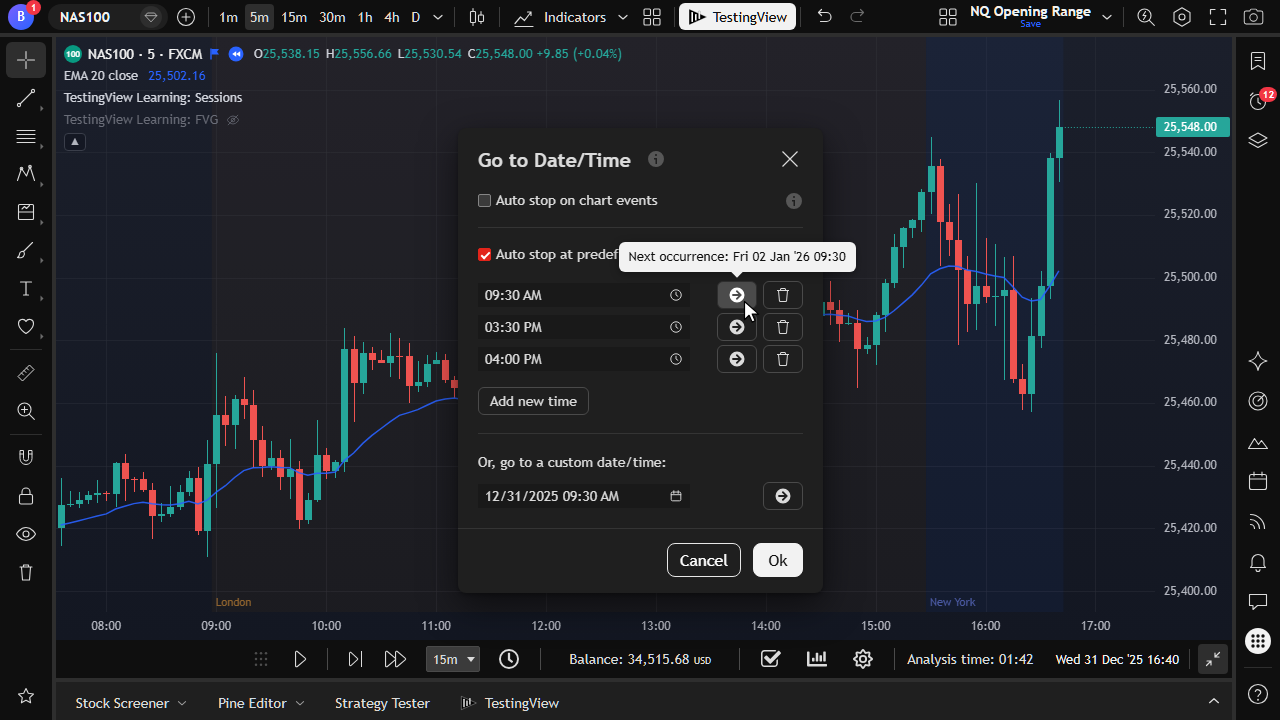
Jump forward to the next occurrence of a clock time, such as the cash open.
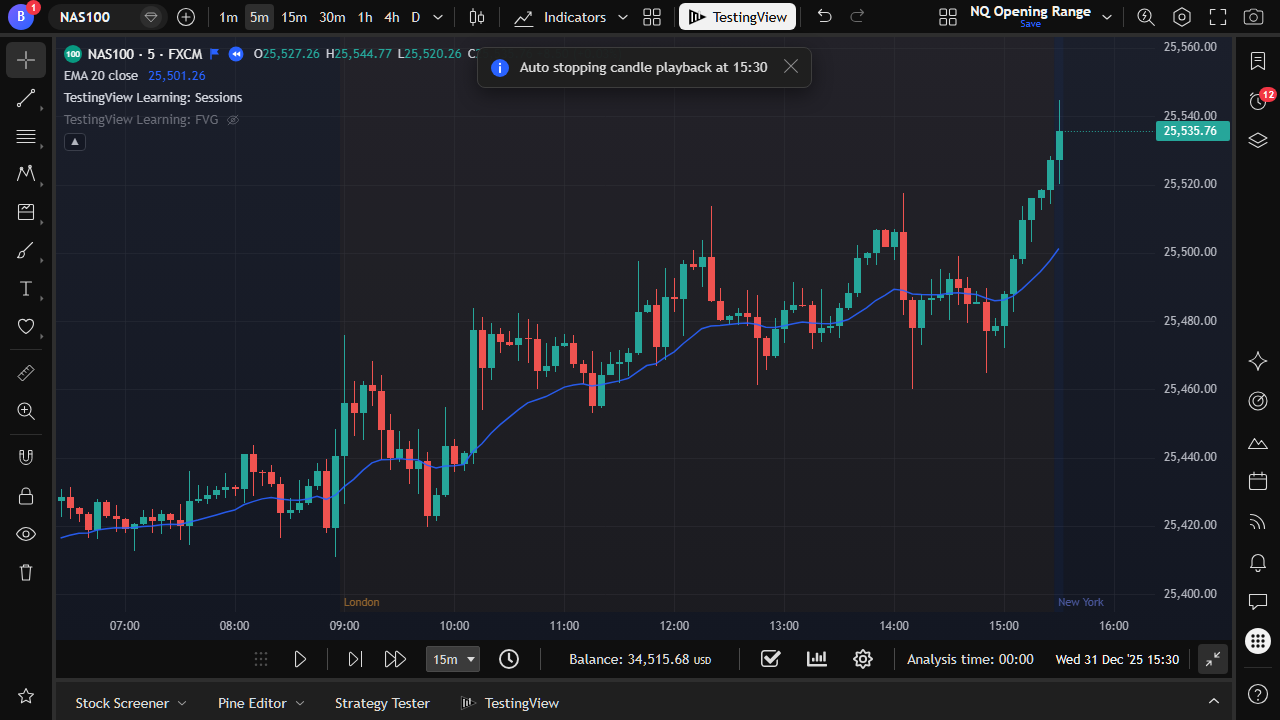
Automatically pause at times that you care about, for example 09:30 or 15:30.
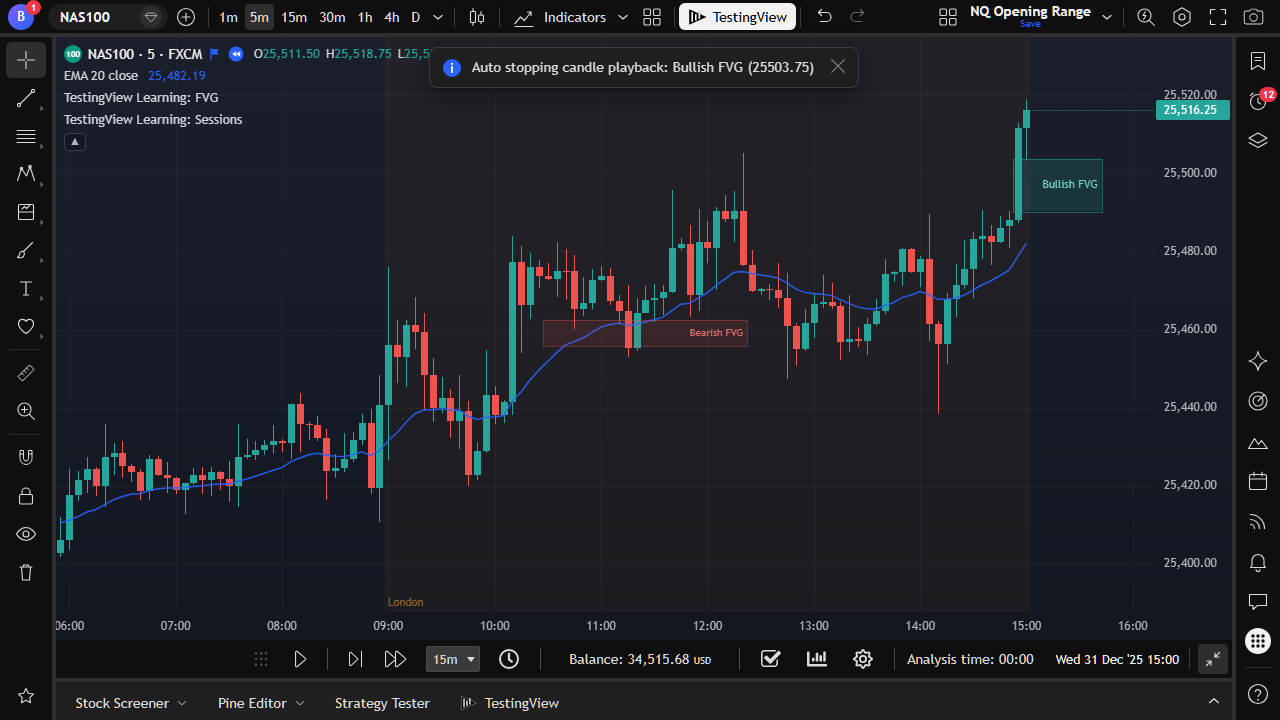
Compatible indicator events can pause playback when a signal appears on the chart.
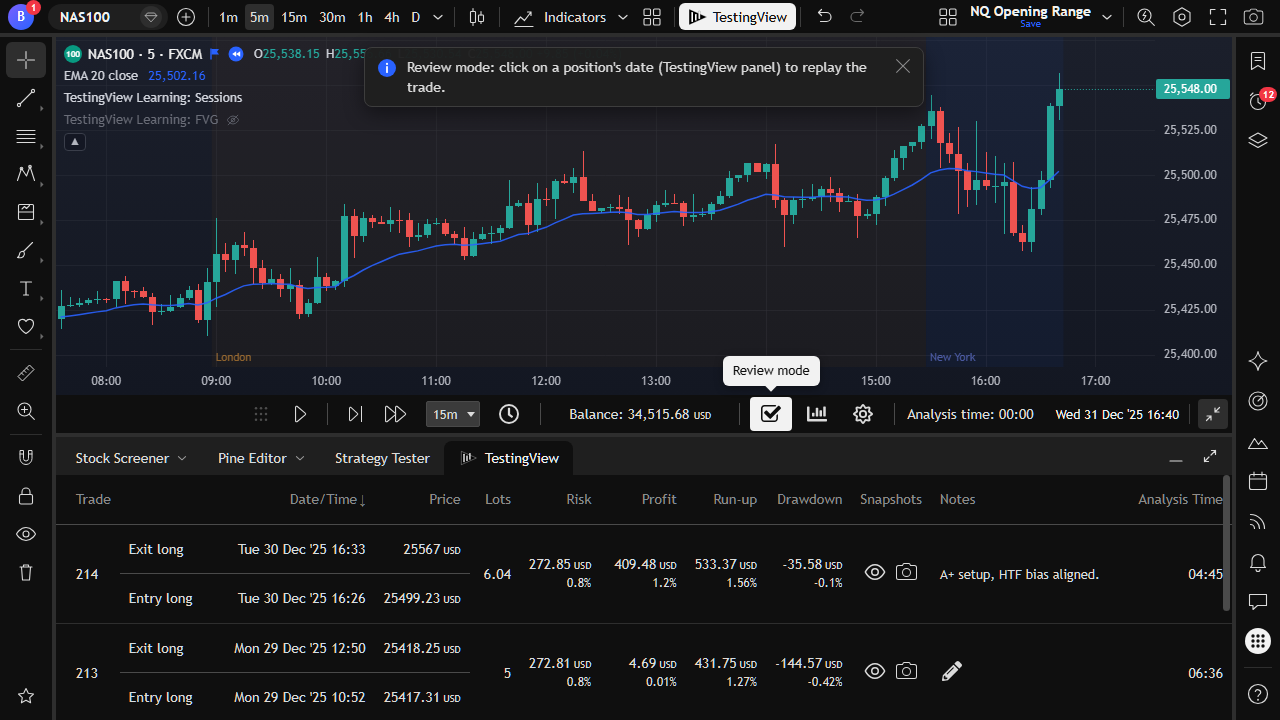
Revisit closed trades from the journal, then return to the active session date.
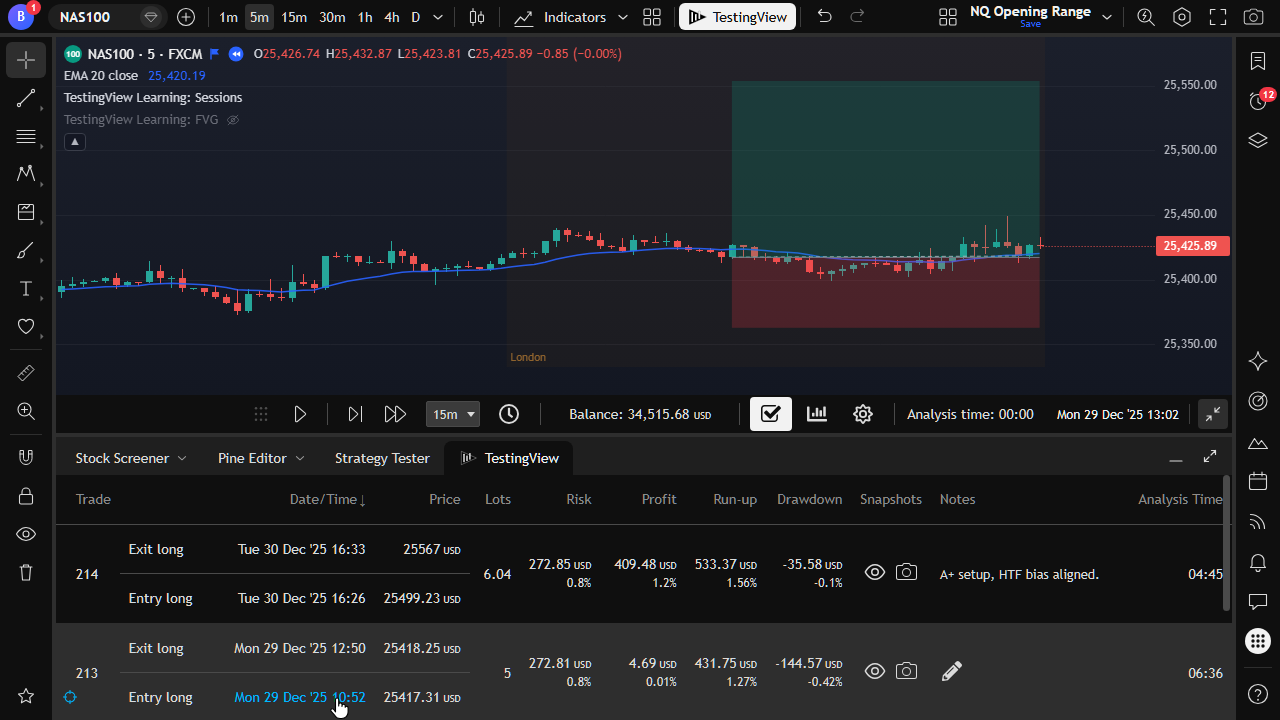
Replay a past trade in context to study entry, management, and exit decisions.
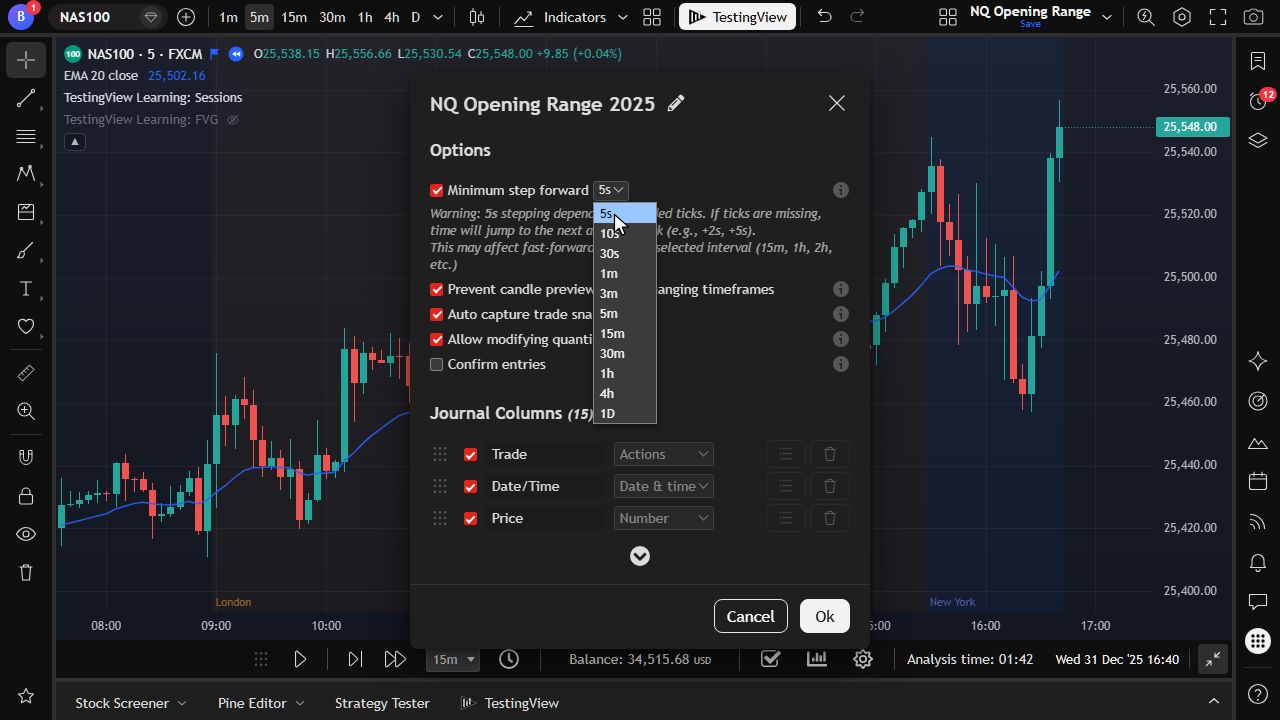
Set the smallest step-forward resolution for tick-by-tick or intrabar simulation during replay.
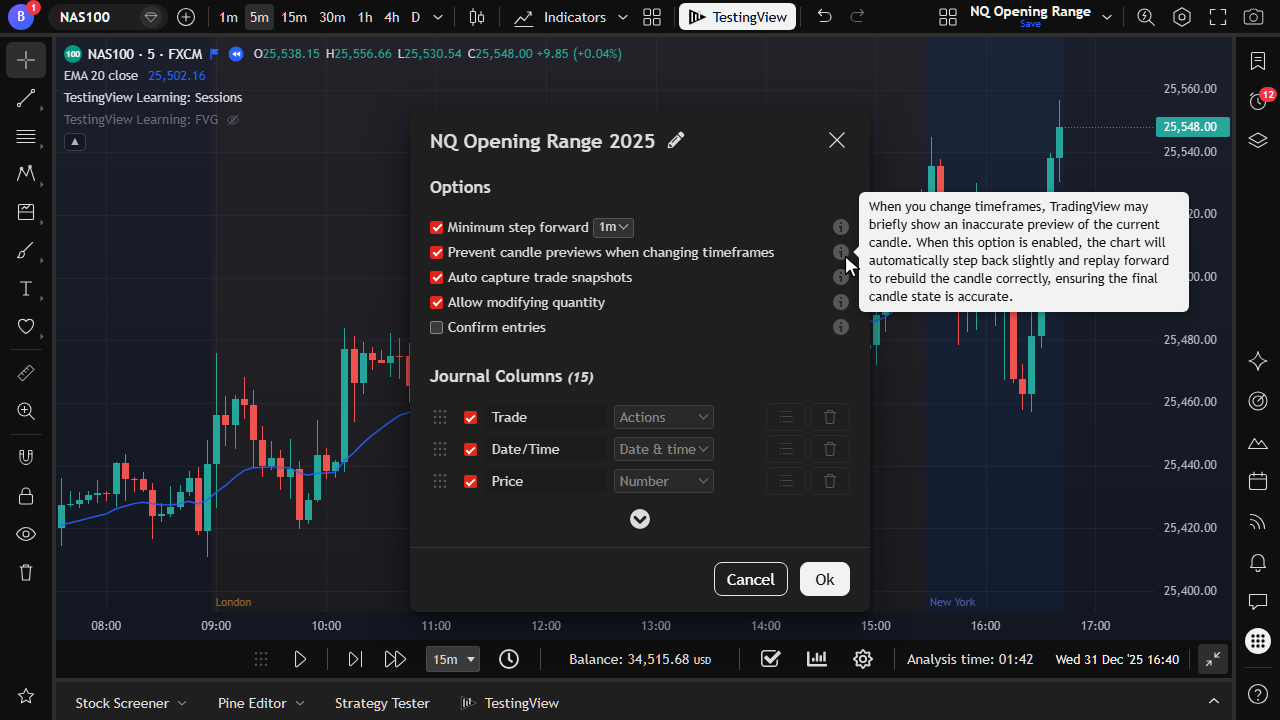
Built-in controls stop you from viewing future candles during manual testing. That includes unfinished higher-timeframe previews when you switch intervals.
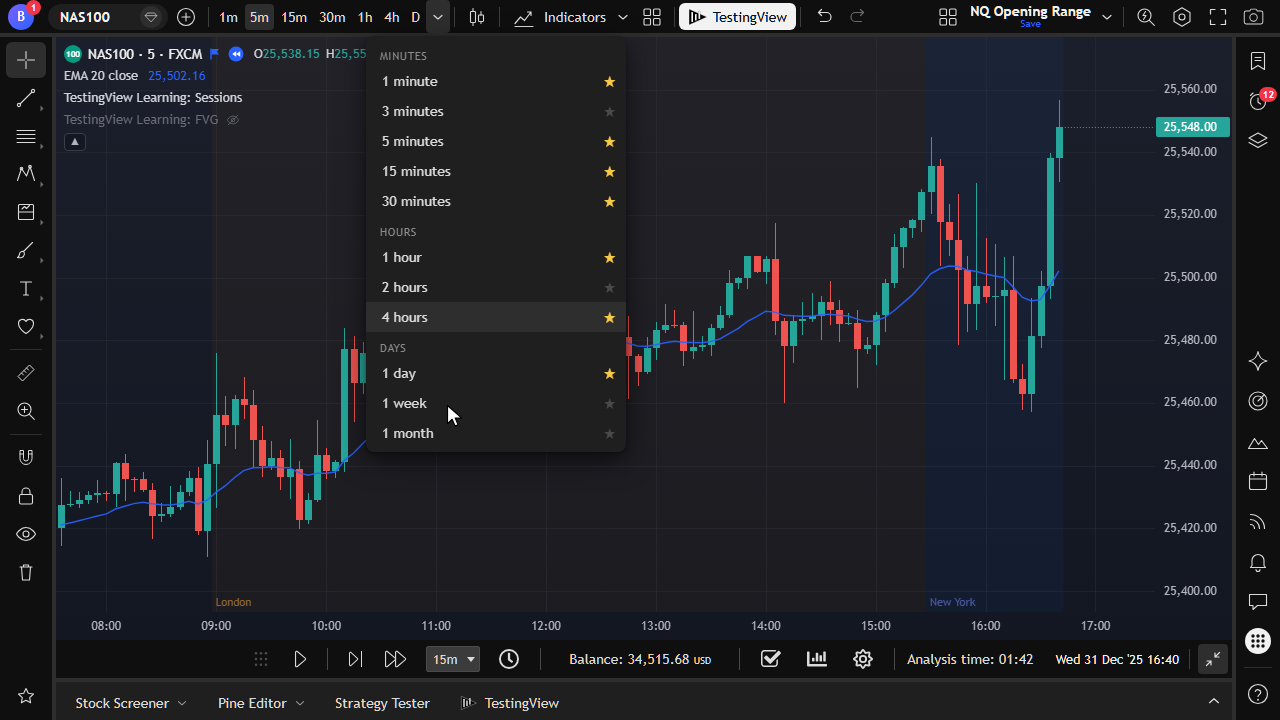
Change chart intervals while keeping the session date stable. Future candles stay hidden, and backtests stay unspoiled.
Custom columns, notes, analysis time, snapshots, and Excel export.
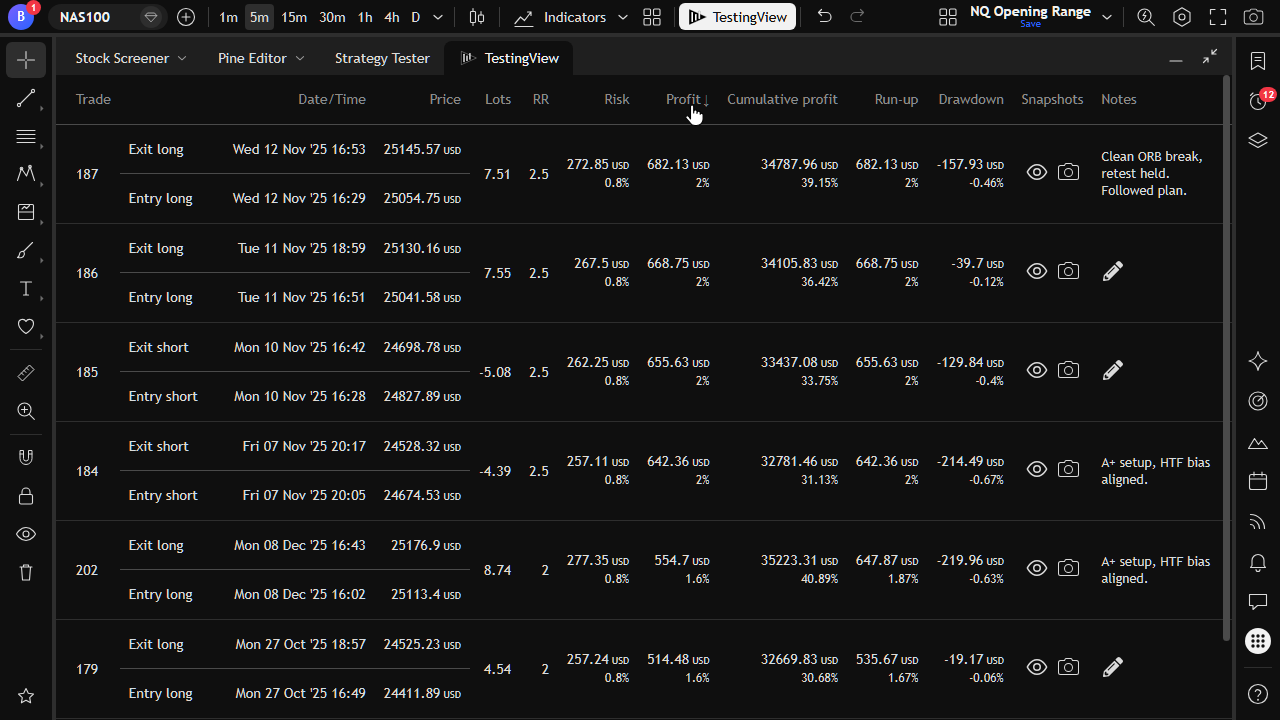
Sort by any column to find your best and worst trades quickly.
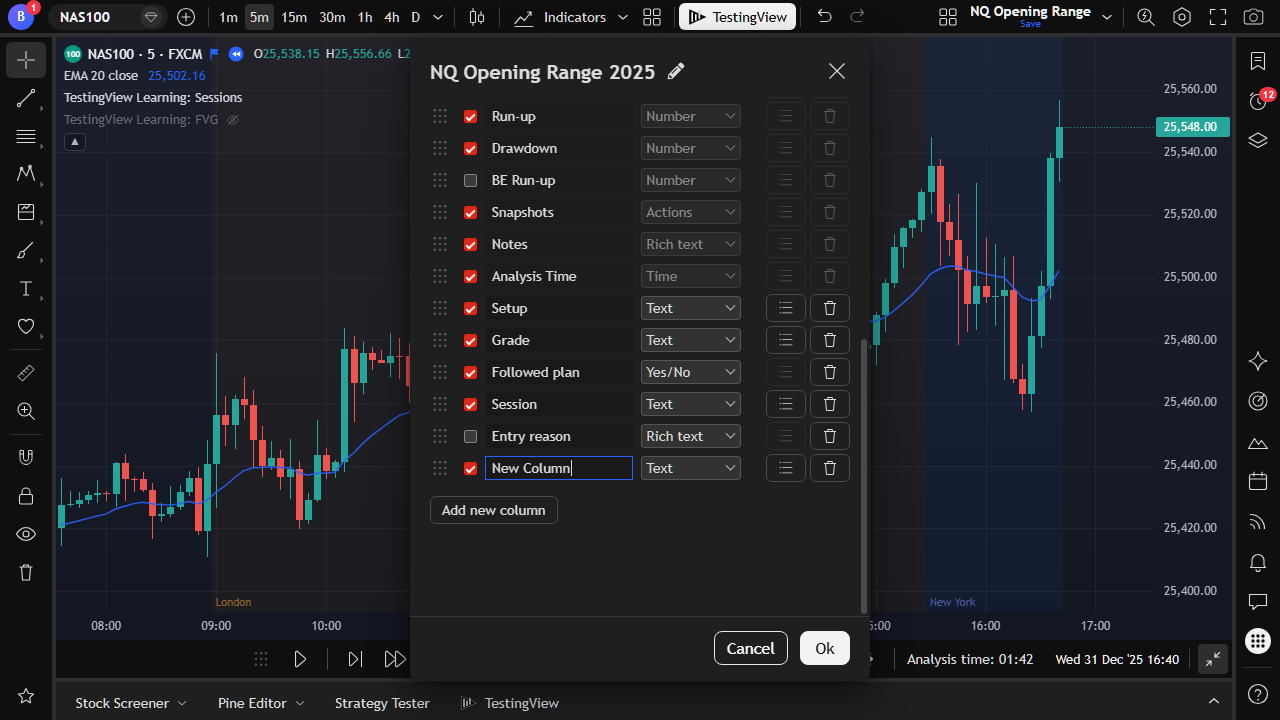
Add, rename, reorder, and show/hide journal columns on Explorer and Trader.
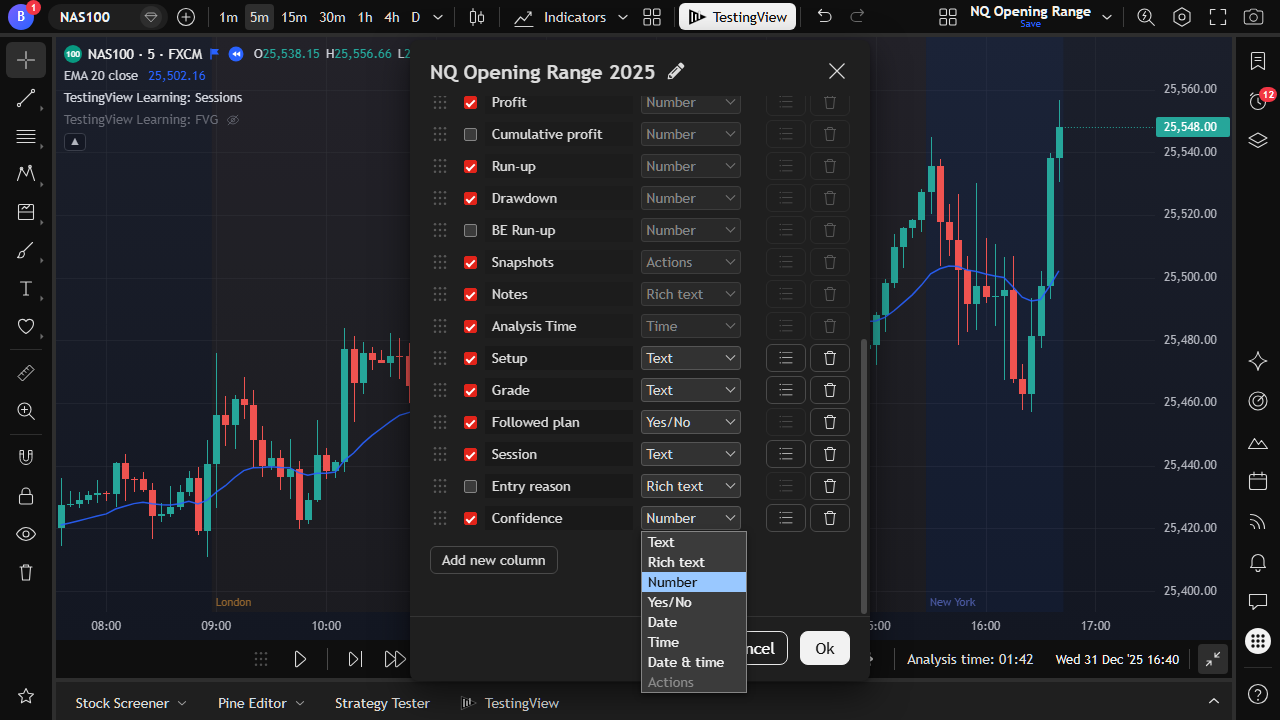
Use text, numbers, checkboxes, dates, and dropdowns to build the journal that you actually use.
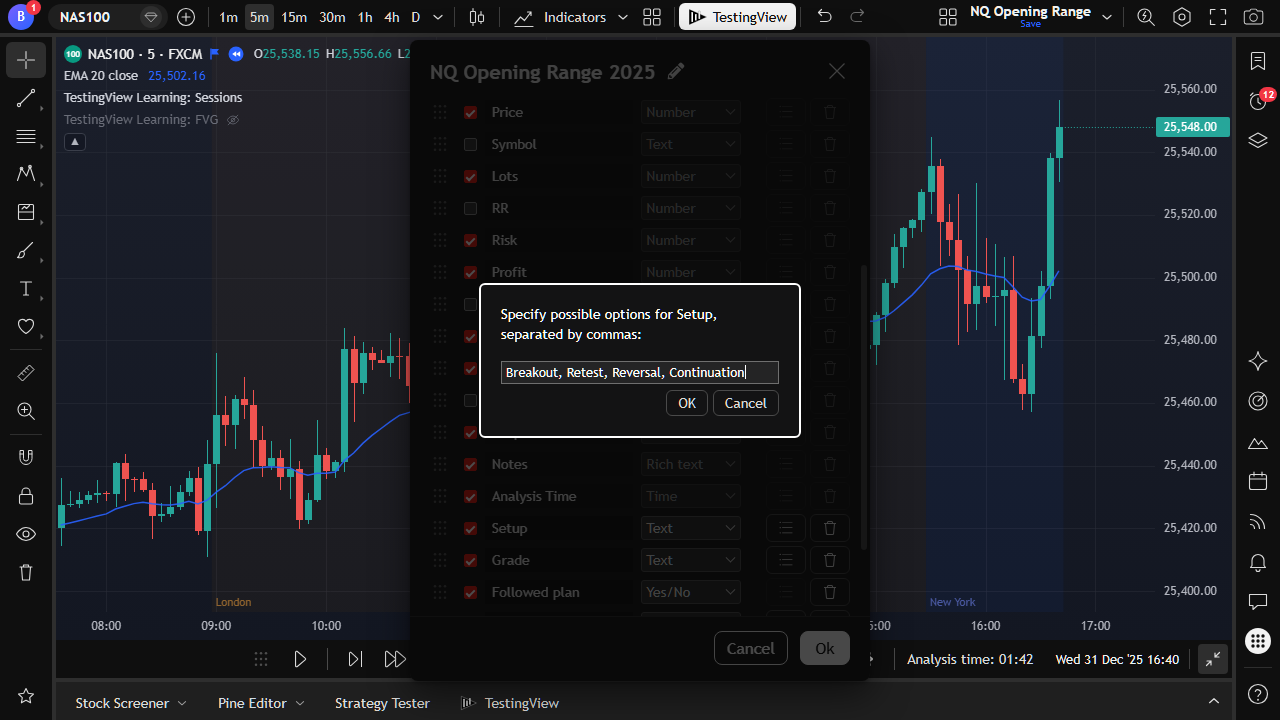
Define setup grades, mistakes, or market conditions as selectable values.
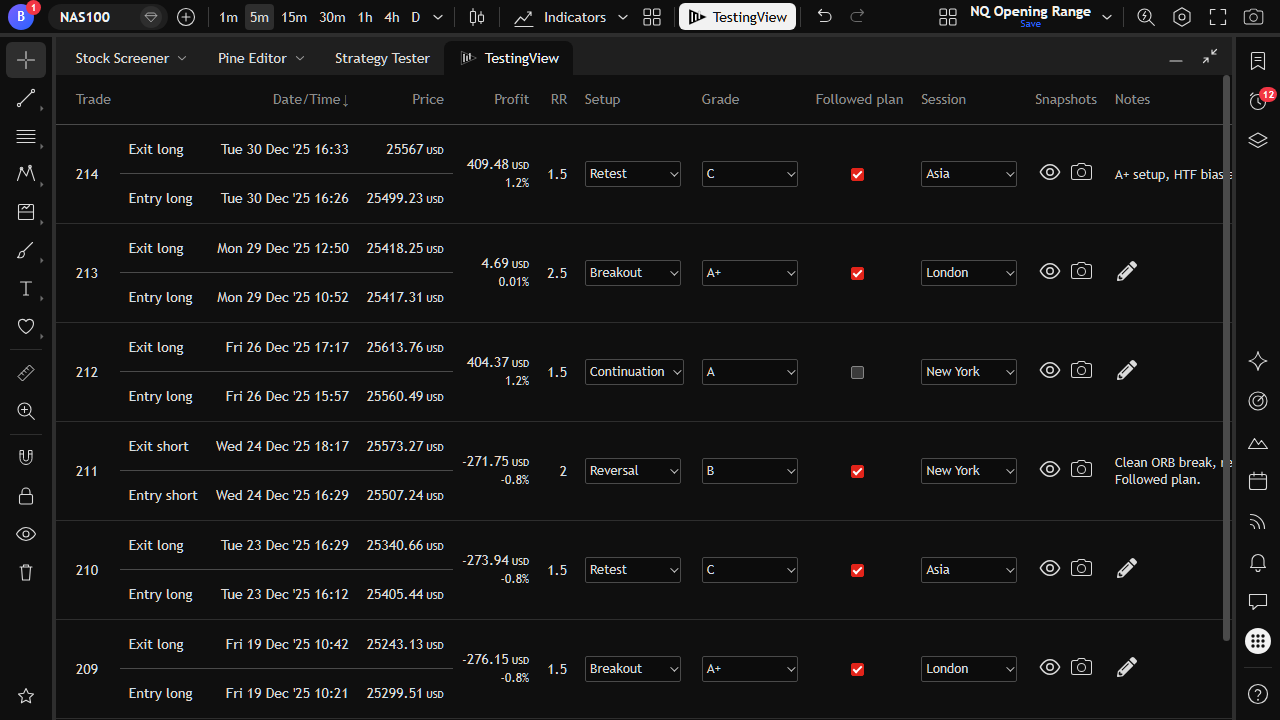
Your custom columns appear alongside system metrics for every trade.
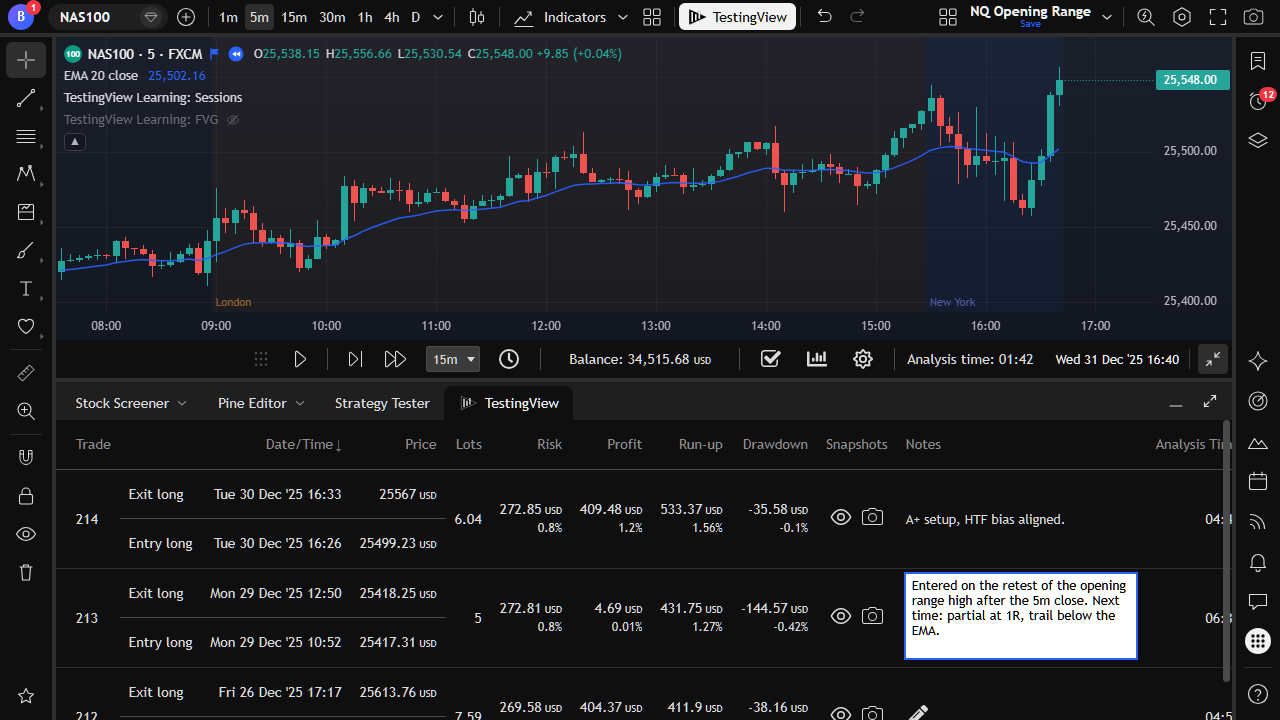
Write free-form notes on each trade while the chart context is still fresh.
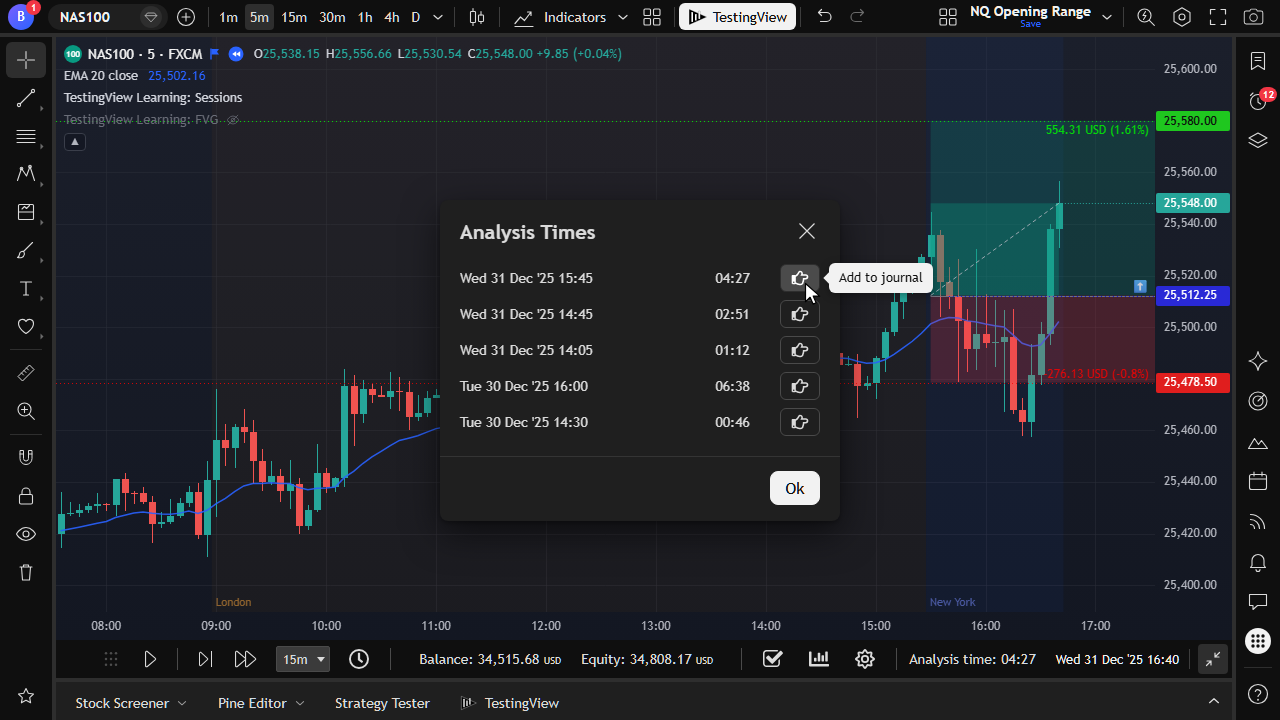
Track how long you spend reviewing each trade during the session.
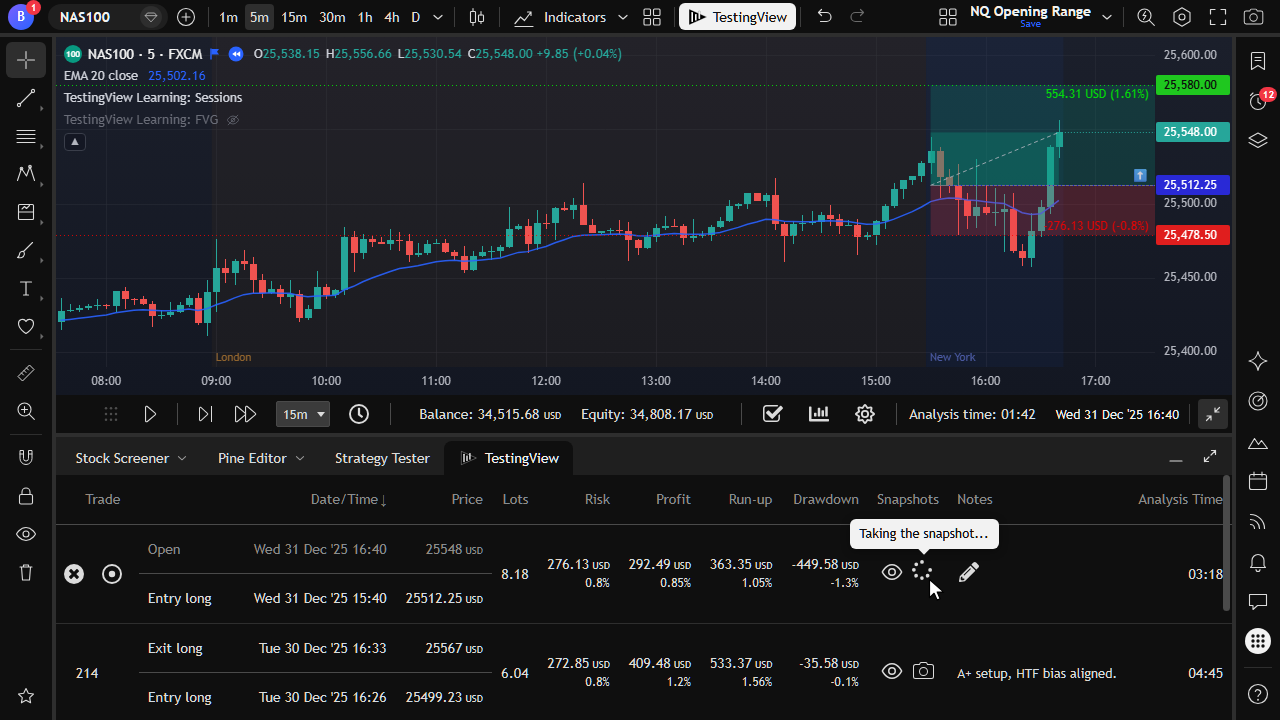
Capture chart snapshots and attach them to the trade in your journal.
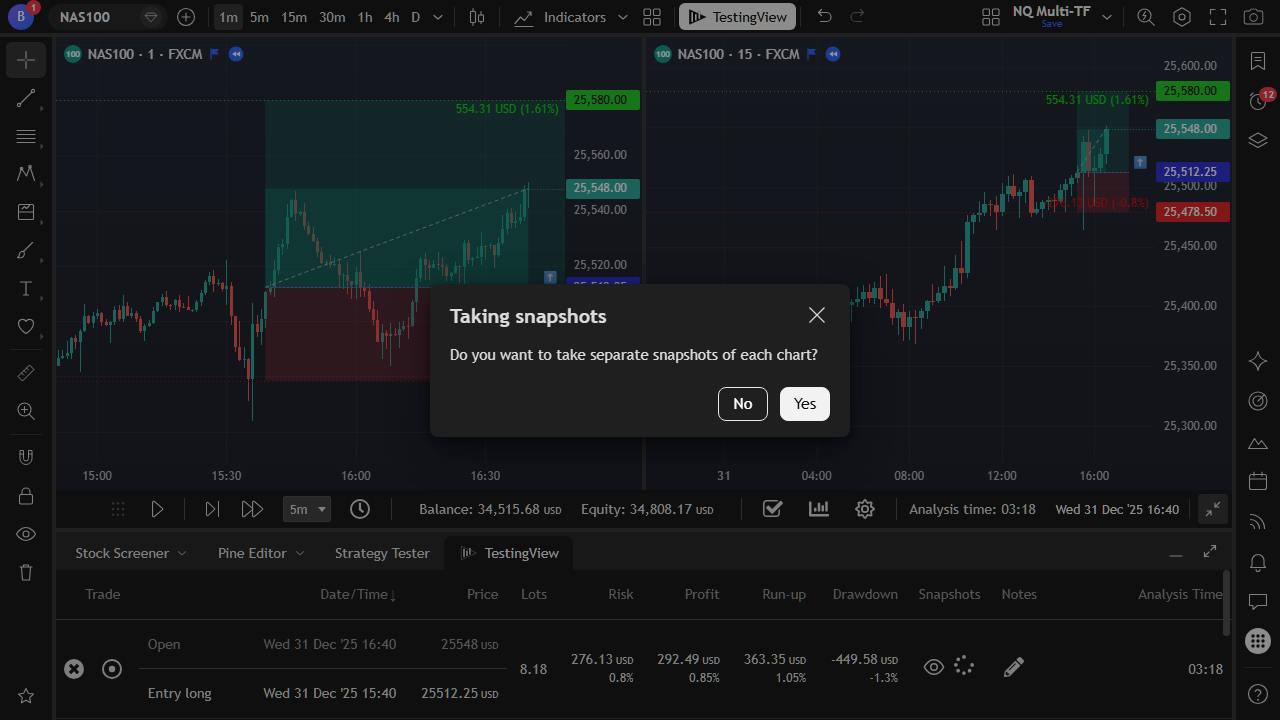
In multi-chart layouts, capture a snapshot from each chart when you need the full picture.
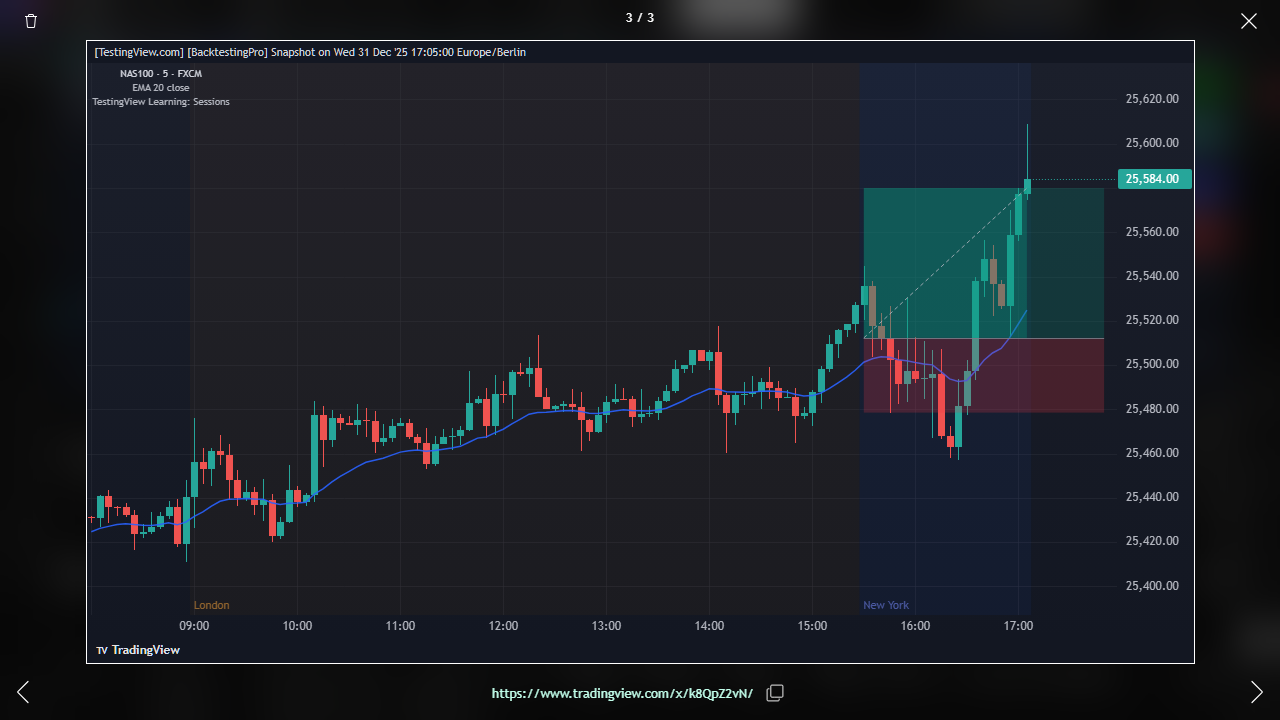
Browse, copy, open, or delete saved snapshots from one place.
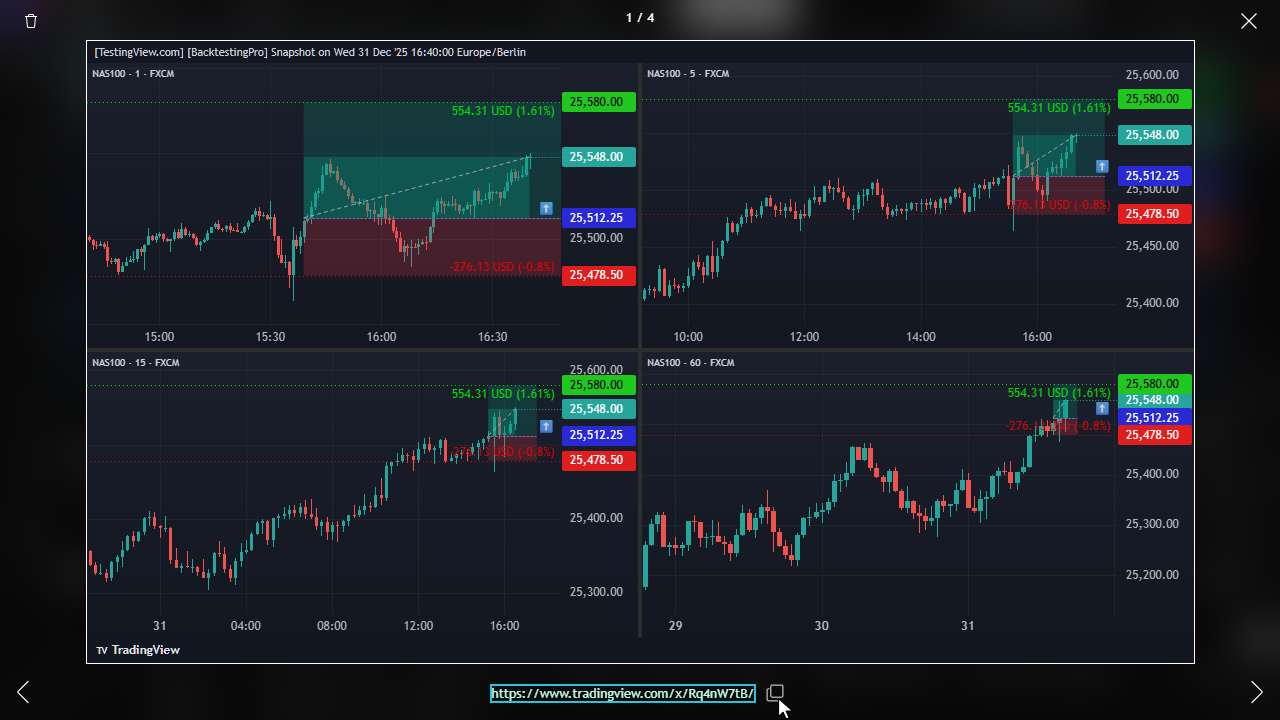
Review multi-chart captures and copy links when sharing or documenting a trade.
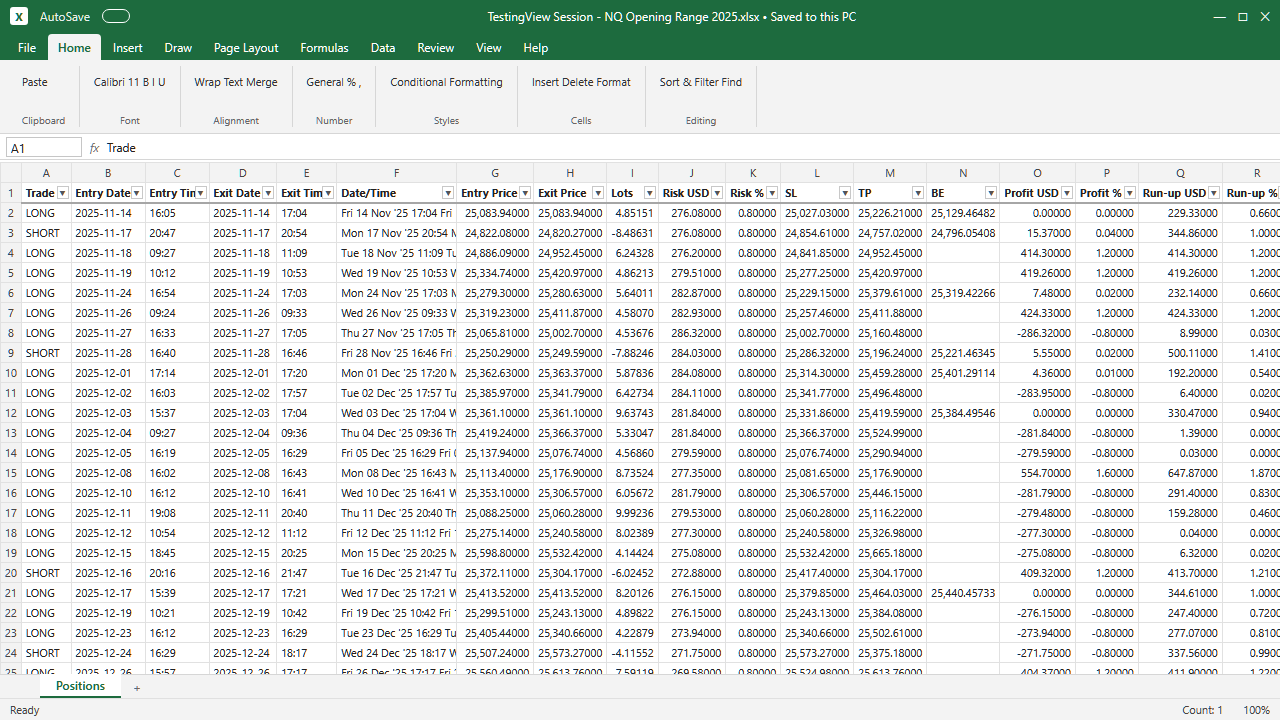
Export the session journal to Excel on the Trader plan for deeper offline analysis.
Review session metrics, charts, streaks, costs, and what-if stop-loss and take-profit insights.
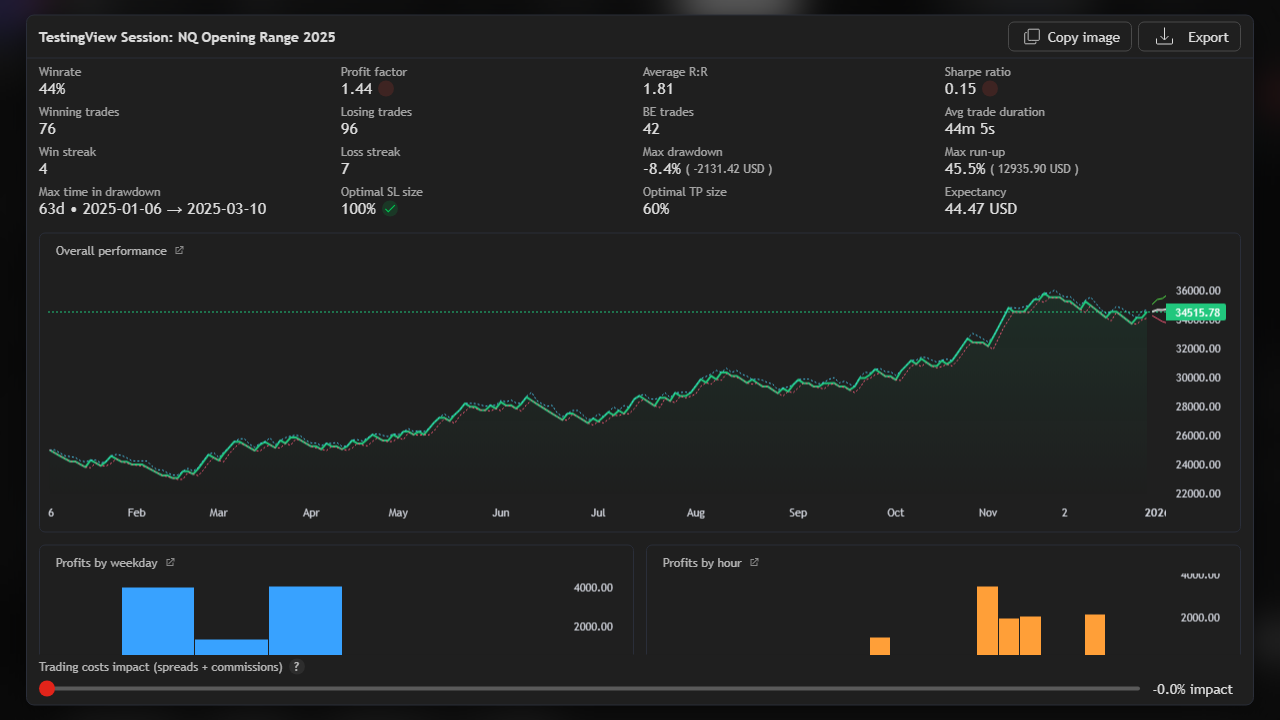
See win rate, profit factor, expectancy, drawdown, and more. These are measured from your simulated trades.
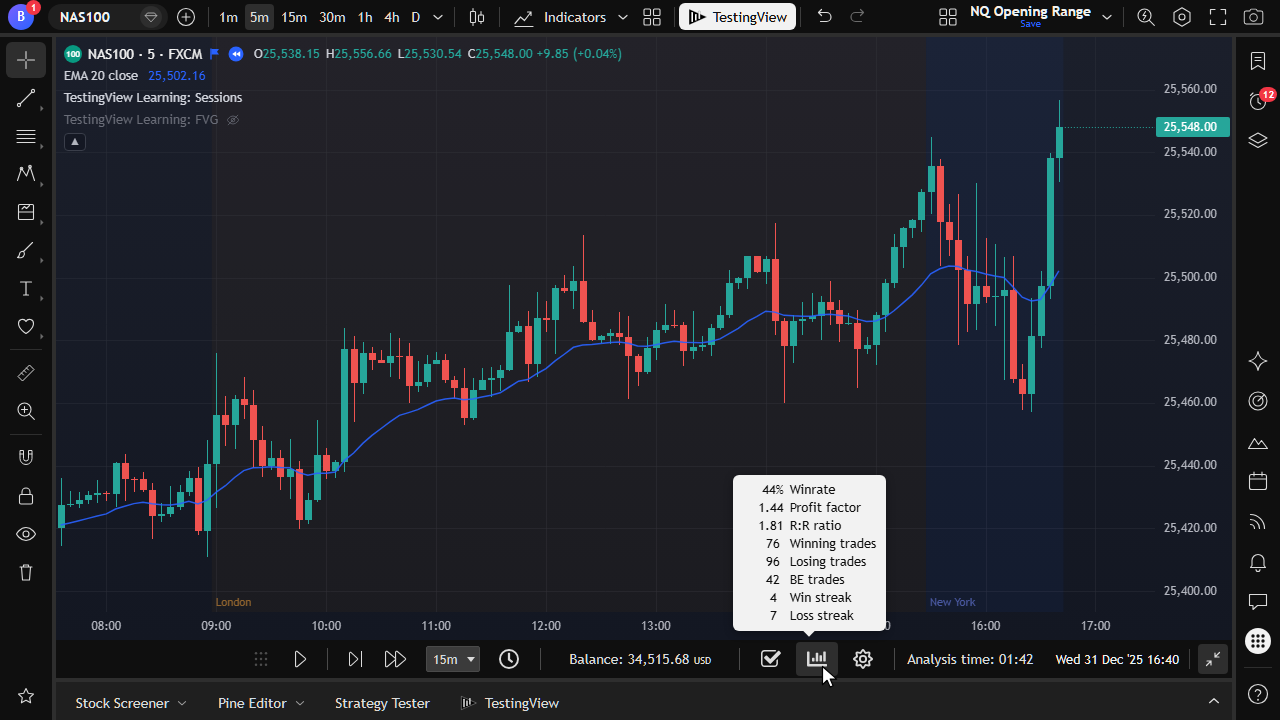
Glance at high-level performance from the playback bar without leaving the chart.
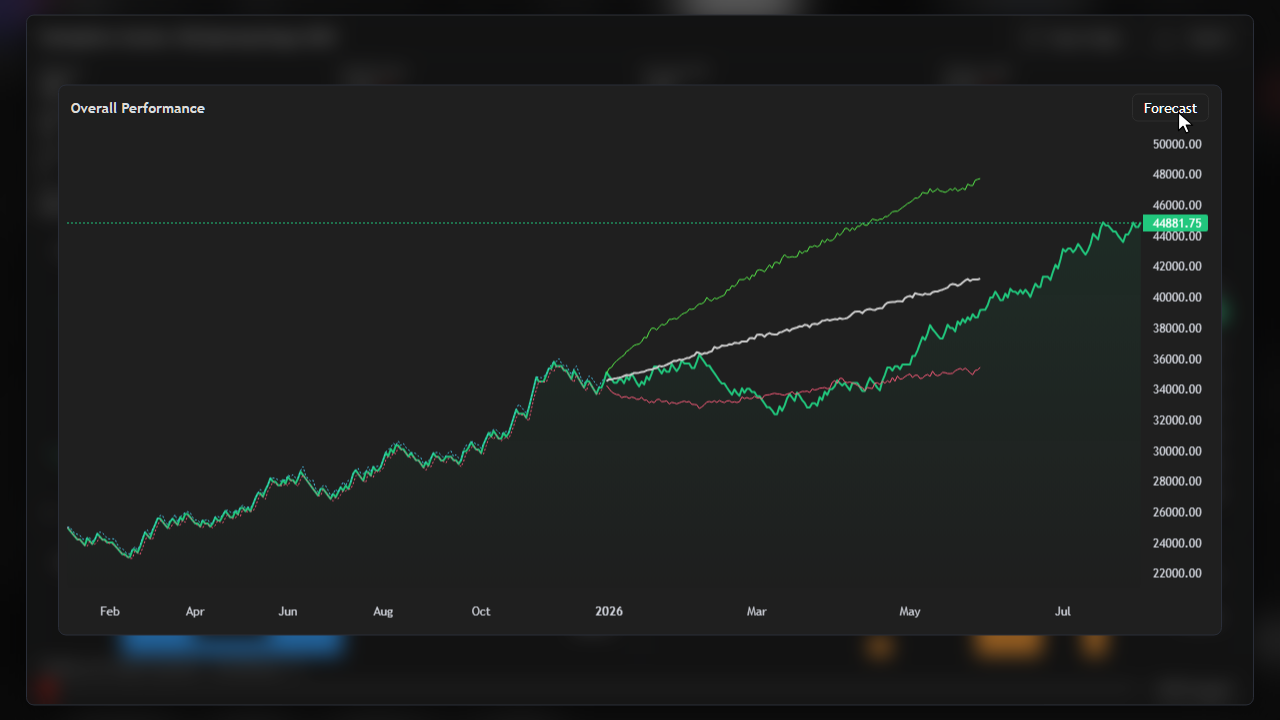
See overall performance with forward-looking context on supported plans.
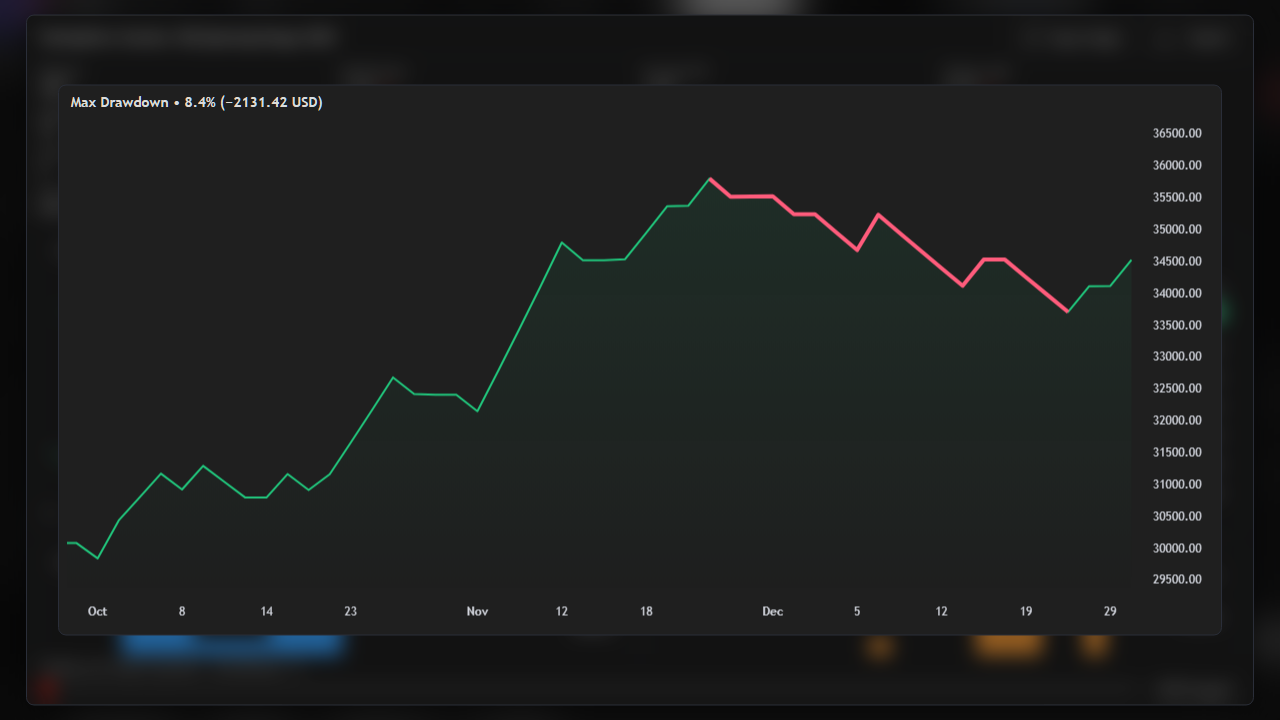
Understand the worst equity swing your approach produced in the session.
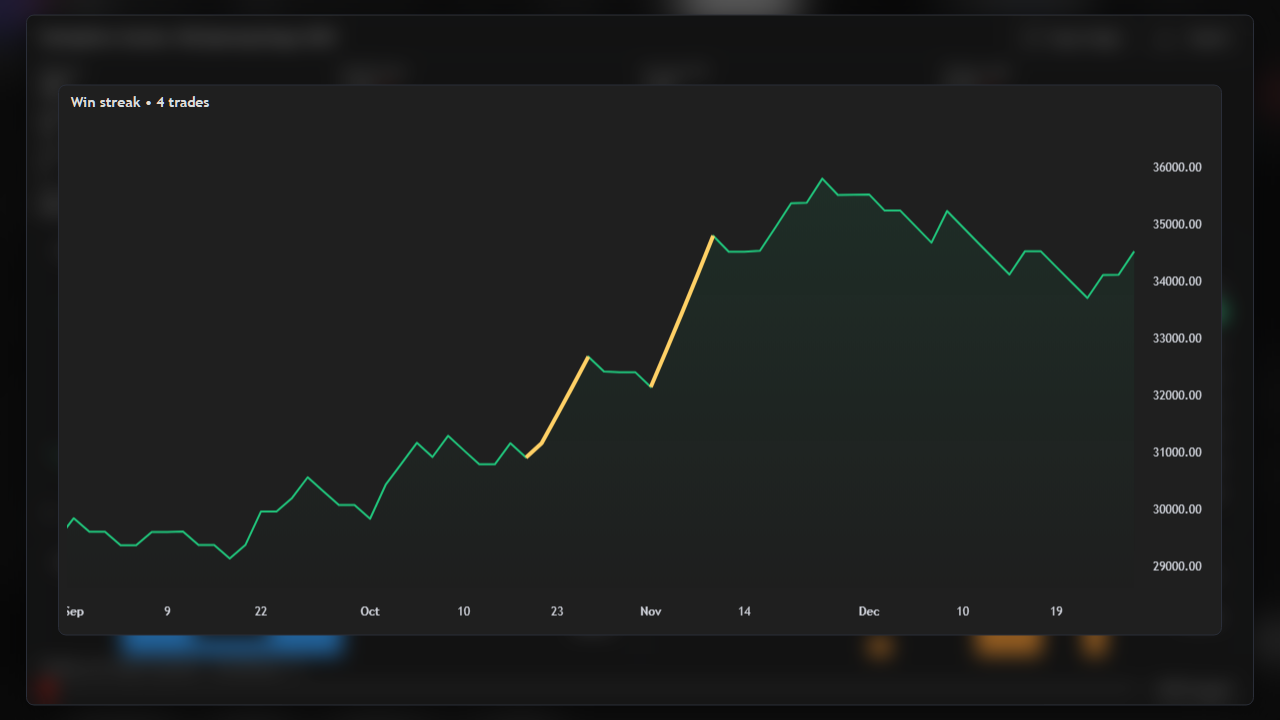
Highlight longest winning runs to see consistency, not just single-trade outcomes.
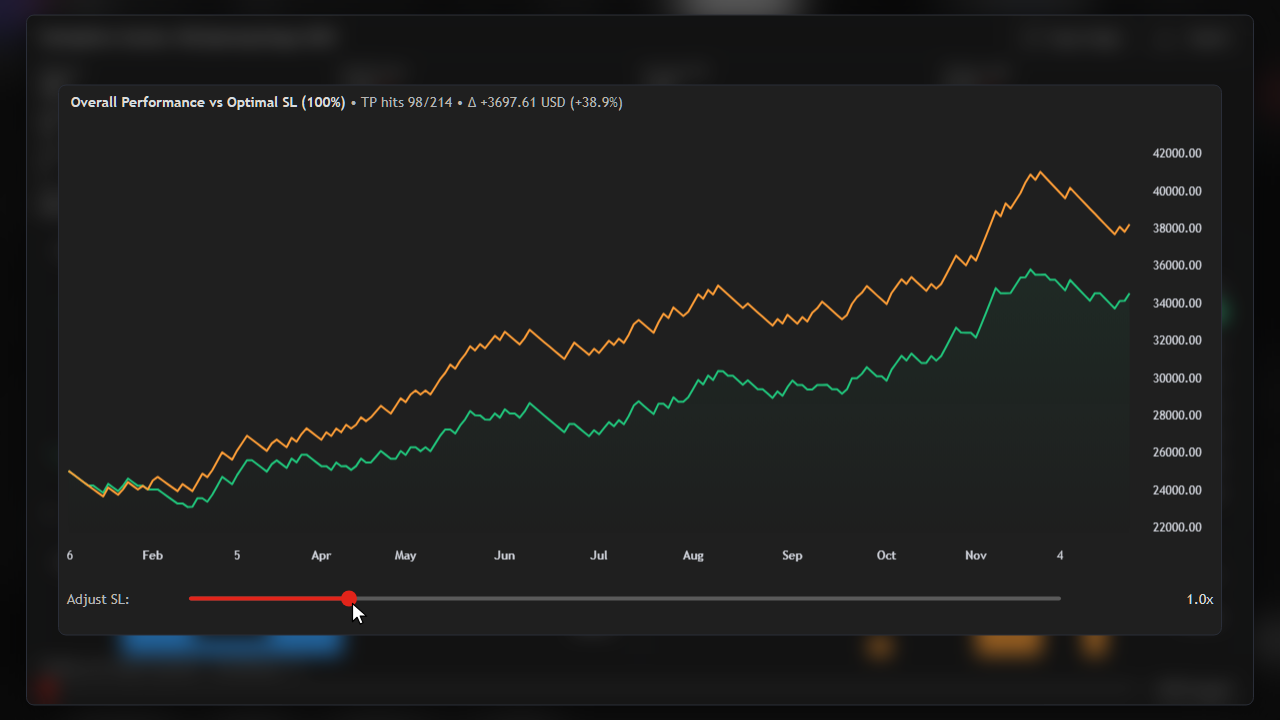
What-if analysis for stop-loss size based on the trades already in the session.
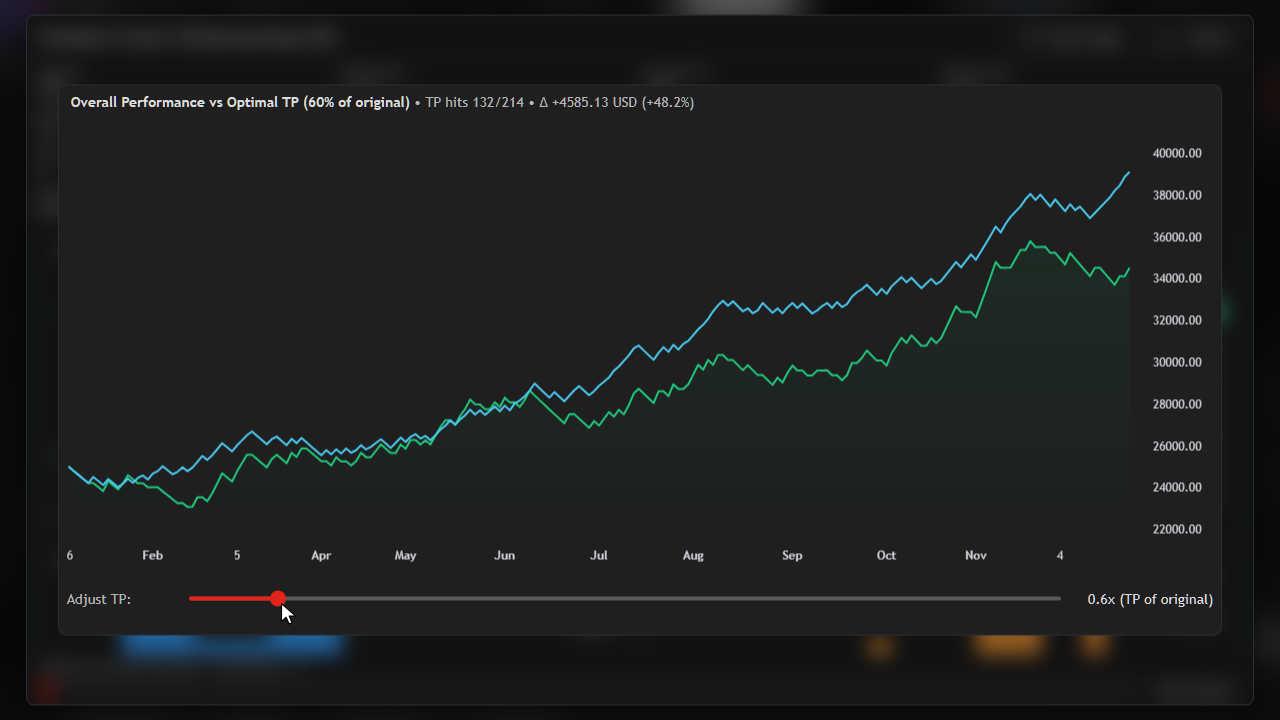
Explore how different take-profit distances would have changed results.
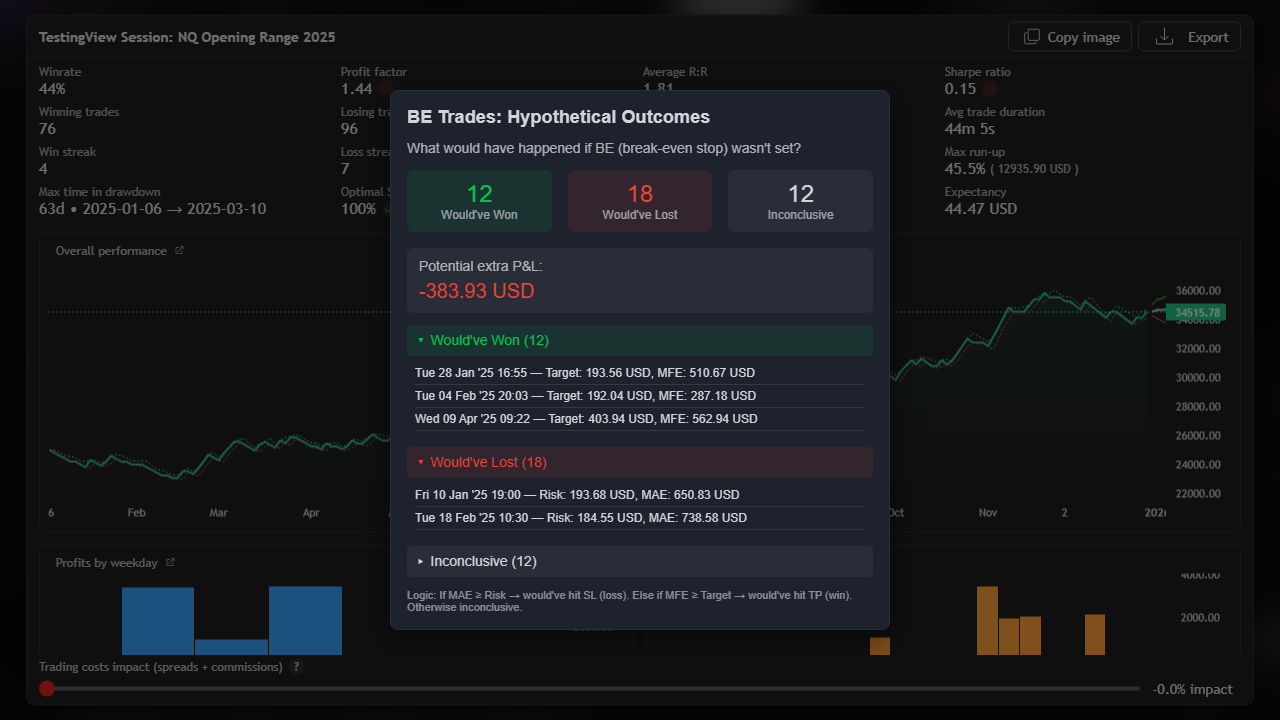
Review hypothetical outcomes for trades that reached break-even.
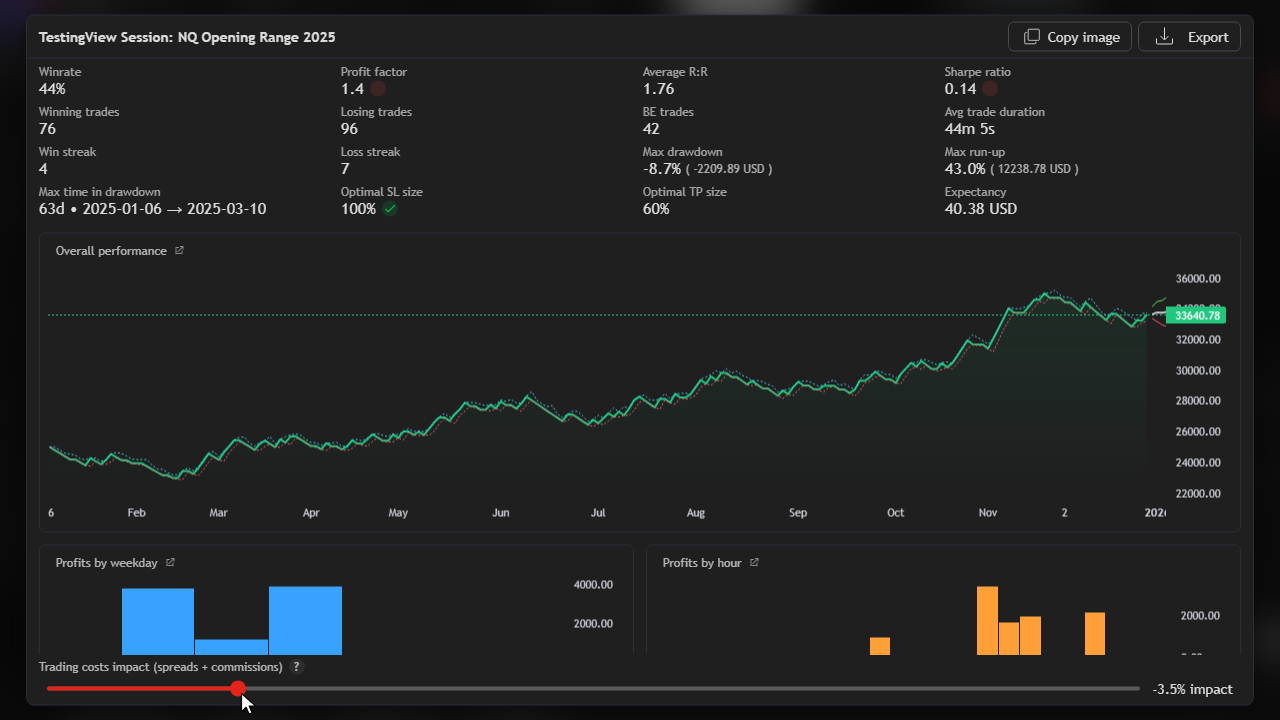
Apply spreads and commissions in statistics so performance stays realistic (Trader).
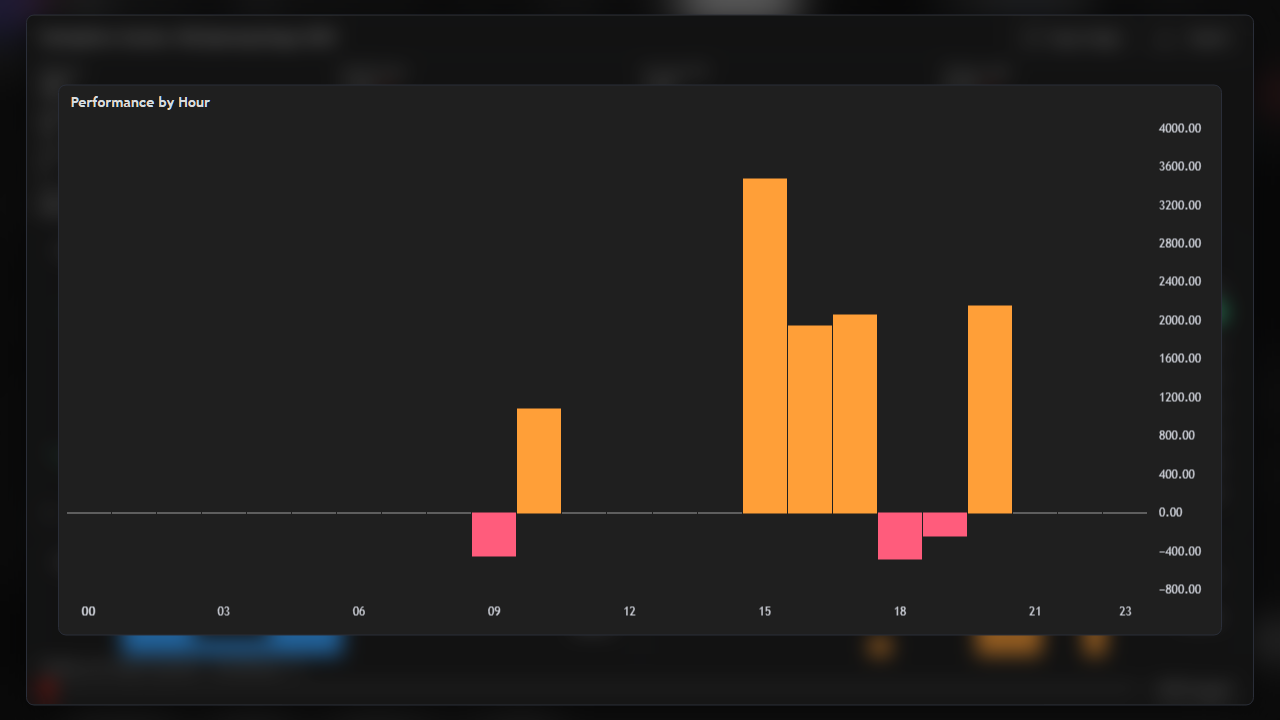
Find which hours of the day your approach actually worked.